
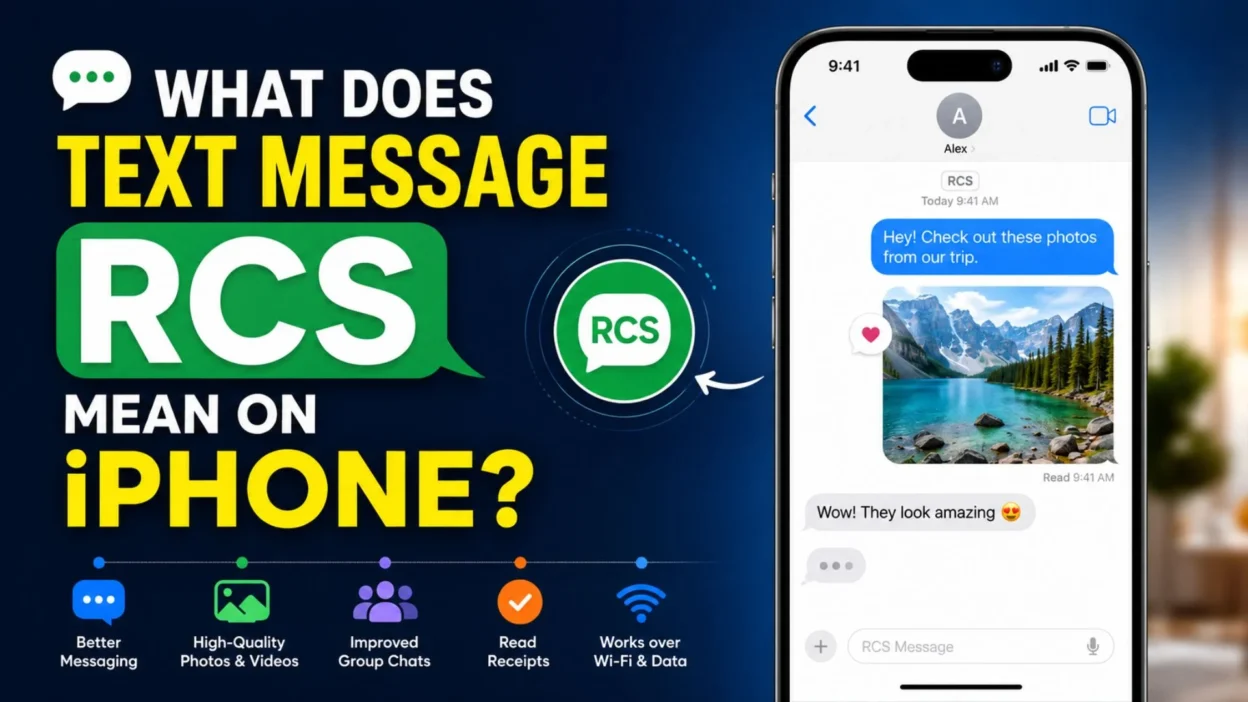
Have you noticed a new RCS label in your Messages app and wondered, what does text message RCS mean on iPhone? You’re not alone. Many iPhone users are seeing this feature for the first time after recent software updates.
RCS brings modern messaging features that make conversations between iPhone and Android users much better. In this guide, you’ll learn what RCS is, how it works, and why it matters.
What Does Text Message RCS Mean on iPhone?
RCS stands for Rich Communication Services. It is the next generation of text messaging designed to replace traditional SMS and MMS.
When people ask what does text message RCS mean on iPhone, they usually want to know why some messages now look different and include more features.
With RCS, messaging becomes smarter and more interactive.
Key features of RCS include:
- Send high-quality photos and videos
- Share larger files
- See typing indicators
- Read receipts (when enabled)
- Better group messaging
- Improved media sharing
- More reliable message delivery
- Send messages over Wi-Fi
- Use mobile data when needed
- Faster message delivery
- Better conversations with Android users
- Rich emoji reactions
- Improved attachment support
- More modern messaging experience
- Enhanced chat features
How Is RCS Different from SMS and MMS?
SMS has been around for decades. MMS added picture messaging later, but both have limitations.
RCS improves almost every part of texting.
Here’s how they compare:
- SMS supports only plain text.
- MMS allows photos but compresses them heavily.
- RCS sends higher-quality images.
- SMS has a 160-character limit before splitting messages.
- RCS supports much longer conversations.
- RCS works over Wi-Fi and mobile data.
- SMS depends on the cellular network.
- RCS supports typing indicators.
- SMS cannot show when someone is typing.
- RCS supports read receipts.
- SMS has no read receipts by default.
- RCS improves group chats.
- Media uploads are much faster.
- Videos stay clearer.
- Overall messaging feels more like modern chat apps.
Why Is RCS Coming to iPhone?
For years, Android phones supported RCS while iPhones mainly relied on iMessage, SMS, and MMS.
Apple introduced RCS support to improve messaging between iPhone and Android users.
Benefits include:
- Better cross-platform messaging
- Clearer photo sharing
- Better video quality
- More reliable group chats
- Reduced message compression
- Rich messaging features
- Improved communication
- Easier file sharing
- Better compatibility
- Modern texting experience
- Faster media delivery
- Better message synchronization
- Improved user experience
- Stronger messaging standards
- Future-ready communication
How Does RCS Work on iPhone?
Unlike SMS, RCS sends messages using an internet connection.
If Wi-Fi isn’t available, it can use your mobile data.
Here’s how it works:
- Uses internet instead of traditional SMS
- Requires carrier support
- Requires compatible software
- Works with supported Android devices
- Supports rich media
- Delivers larger files
- Shows typing indicators
- Supports read receipts
- Improves message quality
- Keeps conversations smoother
- Works automatically once enabled
- Doesn’t replace iMessage
- Can switch between available messaging methods
- Offers faster communication
- Makes texting more interactive
Which iPhones Support RCS?
Not every iPhone supports RCS.
Support depends on your iPhone model, iOS version, carrier, and region.
Generally, you’ll need:
- A compatible iPhone
- A recent version of iOS
- Carrier support
- Internet connection
- Updated carrier settings
- Active SIM or eSIM
- Messages app enabled
- RCS available in your country
- Latest software updates
- Supported mobile plan
- Apple-enabled RCS support
- Correct network settings
- Data or Wi-Fi connection
- Compatible recipient
- Updated device configuration
How to Check if RCS Is Enabled on Your iPhone
Checking your settings only takes a minute.
Follow these simple steps.
- Open Settings
- Tap Apps
- Select Messages
- Look for RCS Messaging
- Check whether it is turned on
- Verify your carrier supports RCS
- Install pending iOS updates
- Restart your iPhone if needed
- Reopen Messages
- Start a conversation with a supported contact
- Check for typing indicators
- Look for read receipts
- Send a high-quality photo
- Confirm internet connectivity
- Test messaging with an Android user
Benefits of Using RCS on iPhone
Understanding what does text message RCS mean on iPhone also means knowing why it’s useful.
RCS brings many improvements over traditional texting.
Some of the biggest advantages include:
- Better image quality
- Clearer videos
- Rich messaging features
- Typing indicators
- Read receipts
- Better group chats
- Faster file sharing
- Larger attachments
- Internet-based messaging
- Improved reliability
- Better Android compatibility
- More engaging conversations
- Less media compression
- Future-ready messaging
- Better overall texting experience
Does RCS Replace iMessage?
A common question after learning what does text message RCS mean on iPhone is whether RCS replaces iMessage. The answer is no.
Apple continues to use iMessage for conversations between Apple devices. RCS is mainly used to improve messaging between iPhones and Android phones.
Here’s how they work together:
- iMessage remains the default for Apple-to-Apple chats.
- RCS improves conversations with supported Android devices.
- SMS is used as a fallback if RCS isn’t available.
- Messages automatically choose the best available service.
- You don’t need separate messaging apps.
- iMessage features remain unchanged.
- RCS does not remove existing conversations.
- Group chats can work better across platforms.
- High-quality media sharing becomes easier.
- Rich chat features are available when supported.
- Your Messages app handles everything automatically.
- Switching between services is seamless.
- Internet is required for RCS and iMessage.
- SMS is used when internet-based options aren’t available.
- Users usually don’t need to choose manually.
RCS vs iMessage: What’s the Difference?
Although they look similar, RCS and iMessage are different technologies.
Understanding the differences helps explain what does text message RCS mean on iPhone.
Quick comparison:
- iMessage works only on Apple devices.
- RCS works between supported Android and iPhone devices.
- iMessage offers Apple-exclusive features.
- RCS follows an industry messaging standard.
- Both support rich media.
- Both can show typing indicators.
- Both support read receipts.
- Both require an internet connection.
- iMessage is managed by Apple.
- RCS depends on carrier and device support.
- Both improve over traditional SMS.
- iMessage syncs with Apple’s ecosystem.
- RCS improves cross-platform communication.
- SMS remains available as a backup.
- Both make texting more enjoyable.
RCS vs SMS: Which Is Better?
SMS has served mobile phones for decades, but technology has moved forward.
RCS offers many improvements that make everyday texting easier.
Why RCS is better than SMS:
- Better photo quality
- Higher video quality
- Larger file sharing
- Read receipts
- Typing indicators
- Better group messaging
- Internet-based delivery
- Faster communication
- Less compression
- Improved reliability
- Modern messaging features
- Better multimedia support
- More engaging conversations
- Better cross-platform experience
- Future-focused messaging standard
RCS vs WhatsApp
Many people compare RCS with WhatsApp because both offer modern messaging features.
However, they work differently.
Key differences include:
- WhatsApp requires its own app.
- RCS works inside the Messages app.
- WhatsApp uses your contacts through its service.
- RCS uses your phone number.
- Both support high-quality media.
- Both support read receipts.
- Both offer typing indicators.
- WhatsApp works globally without carrier support.
- RCS availability depends on carriers and regions.
- Both allow group chats.
- Both use internet connections.
- WhatsApp has voice and video calling.
- RCS focuses mainly on messaging.
- Both improve over SMS.
- Both offer richer conversations.
Is RCS Secure?
Security matters whenever you send messages.
RCS includes better security than traditional SMS, but the level of protection can vary.
Important security facts:
- RCS is generally safer than SMS.
- SMS messages are not encrypted.
- Some RCS conversations support stronger security.
- Security depends on the messaging service.
- Carrier support matters.
- Keep your iPhone updated.
- Avoid clicking suspicious links.
- Never share verification codes.
- Use trusted Wi-Fi when possible.
- Enable device security features.
- Update carrier settings regularly.
- Watch for phishing attempts.
- Verify unknown contacts.
- Protect your Apple ID.
- Stay informed about new security updates.
How to Turn RCS On or Off on iPhone
Most supported iPhones make managing RCS simple.
If your carrier supports it, you can adjust the setting easily.
Steps to manage RCS:
- Open Settings.
- Tap Apps.
- Select Messages.
- Find RCS Messaging.
- Turn it on or off.
- Confirm your internet connection.
- Restart the Messages app.
- Update iOS if needed.
- Restart your iPhone.
- Check carrier settings.
- Test messaging afterward.
- Verify with an Android contact.
- Re-enable if problems occur.
- Wait a few minutes for activation.
- Contact your carrier if the option is missing.
Why Isn’t RCS Working on My iPhone?
Sometimes RCS doesn’t activate immediately.
There are several possible reasons.
Common causes include:
- Carrier doesn’t support RCS.
- Your region isn’t supported.
- Older iOS version.
- Internet connection problems.
- Carrier settings need updating.
- Temporary network issue.
- RCS is turned off.
- Messages app needs restarting.
- SIM card issue.
- Mobile plan limitations.
- Temporary Apple or carrier outage.
- Recipient doesn’t support RCS.
- Software bug.
- Incorrect network settings.
- Device restart required.
How to Fix Common RCS Problems
If RCS isn’t working properly, try a few simple troubleshooting steps.
Most issues can be resolved in minutes.
Helpful fixes:
- Restart your iPhone.
- Update to the latest iOS.
- Check Wi-Fi.
- Check mobile data.
- Toggle Airplane Mode.
- Turn RCS off and on.
- Restart the Messages app.
- Reset network settings if necessary.
- Update carrier settings.
- Verify your SIM is active.
- Test another conversation.
- Remove VPN temporarily.
- Check your carrier’s support page.
- Wait during temporary outages.
- Contact your carrier if the problem continues.
RCS Features You’ll Love
Now that you understand what does text message RCS mean on iPhone, it’s time to explore the features that make it such a big upgrade over traditional texting.
These improvements help conversations feel faster, smarter, and more enjoyable.
Top RCS features include:
- High-quality photo sharing
- Clearer video messaging
- Typing indicators
- Read receipts
- Rich emoji reactions
- Better group conversations
- Larger file sharing
- Faster message delivery
- Internet-based messaging
- Improved media quality
- More reliable message status
- Better cross-platform chats
- Easier multimedia sharing
- Reduced image compression
- Modern messaging experience
Tips for Getting the Best RCS Experience
RCS works best when your device, carrier, and software are all up to date.
A few simple habits can improve your messaging experience even more.
Helpful tips:
- Keep iOS updated.
- Install carrier updates.
- Use a stable Wi-Fi connection.
- Keep mobile data enabled when needed.
- Restart your phone occasionally.
- Verify RCS is turned on.
- Update apps regularly.
- Keep enough storage available.
- Avoid outdated software.
- Test features with supported contacts.
- Enable automatic updates.
- Use trusted internet connections.
- Check carrier announcements.
- Learn new Messages features.
- Stay updated on future improvements.
Common Myths About RCS
There are plenty of misconceptions about RCS.
Let’s clear up some of the most common ones.
Myths vs. facts:
- Myth: RCS replaces iMessage. Fact: iMessage still works for Apple-to-Apple chats.
- Myth: RCS works without internet. Fact: RCS requires Wi-Fi or mobile data.
- Myth: Every phone supports RCS. Fact: Device, software, and carrier support are required.
- Myth: RCS is exactly the same as SMS. Fact: RCS offers many more features.
- Myth: You need a new messaging app. Fact: RCS works within the Messages app.
- Myth: Photos look the same as SMS. Fact: RCS shares much higher-quality media.
- Myth: RCS is available everywhere. Fact: Availability depends on your region and carrier.
- Myth: Setup is difficult. Fact: Most users only need to enable it in Settings.
- Myth: RCS costs extra. Fact: It generally uses your internet connection or mobile data plan.
- Myth: RCS is only for Android. Fact: Supported iPhones now include RCS as well.
RCS and Group Chats
Group conversations are one of the biggest areas where RCS improves messaging.
Sharing photos, videos, and reactions becomes much smoother.
Benefits for group chats:
- Better photo quality
- Improved video sharing
- Faster message delivery
- More reliable conversations
- Read receipts (where supported)
- Typing indicators
- Larger file sharing
- Rich reactions
- Better compatibility
- Cleaner conversation flow
- Fewer media limitations
- Easier communication
- More engaging discussions
- Better support across devices
- Improved overall experience
Can Businesses Use RCS?
Yes. Many businesses are beginning to use RCS for customer communication.
It offers a richer experience than traditional text messages.
Business uses include:
- Appointment reminders
- Delivery updates
- Order confirmations
- Customer support
- Boarding passes
- Event notifications
- Promotional offers
- Product updates
- Secure verification messages
- Loyalty rewards
- Payment reminders
- Service alerts
- Reservation confirmations
- Interactive customer messages
- Brand communication
Best Practices for Using RCS
Following a few simple habits helps you enjoy the best messaging experience.
These tips also improve privacy and reliability.
Best practices:
- Keep software updated.
- Use secure internet connections.
- Verify unknown contacts.
- Avoid suspicious links.
- Back up your device regularly.
- Enable device security features.
- Keep carrier settings current.
- Monitor data usage if needed.
- Restart your phone after major updates.
- Test new messaging features.
- Keep Messages enabled.
- Use strong Apple ID security.
- Stay informed about new updates.
- Report spam messages.
- Enjoy the richer messaging experience.
The Future of RCS on iPhone
RCS is expected to become even more useful as more carriers and devices support it.
Apple’s adoption of RCS marks an important step toward improving communication between different mobile platforms.
In the future, users can expect:
- Wider carrier support
- More countries supported
- Better cross-platform messaging
- Faster media sharing
- Improved group conversations
- Enhanced reliability
- Better compatibility
- More business messaging features
- Ongoing software improvements
- Stronger messaging standards
- Better user experience
- New communication features
- Continued security improvements
- Easier device connectivity
- Smarter messaging tools
FAQs
What does text message RCS mean on iPhone?
RCS stands for Rich Communication Services. It upgrades traditional texting by adding features like better photo sharing, typing indicators, read receipts, and improved messaging between iPhone and Android devices.
Is RCS the same as iMessage?
No. iMessage is Apple’s messaging service for Apple devices. RCS is an industry standard designed to improve conversations, especially between iPhone and Android users.
Do I need to install another app for RCS?
No. RCS works within the built-in Messages app on supported iPhones, so there’s no need to download anything extra.
Why don’t I see the RCS option?
The feature depends on your iPhone model, iOS version, carrier support, and country. If it’s missing, check for software and carrier updates.
Does RCS use mobile data?
Yes. RCS sends messages over Wi-Fi or mobile data instead of the traditional SMS network.
Conclusion
If you’ve been wondering what does text message RCS mean on iPhone, the answer is simple: it’s a major improvement to the way text messaging works. RCS brings richer conversations, better media sharing, improved group chats, and a smoother experience when messaging Android users.
As more carriers and devices adopt RCS, it will continue to make texting faster, smarter, and more enjoyable. If you found this guide helpful, share it with friends or family, and leave a comment with your experience using RCS on iPhone.

Muhammad Shahroz is a passionate writer who creates helpful content about messages and word meanings. He is committed to providing clear, accurate, and easy-to-understand information on TextsMessagez.com.