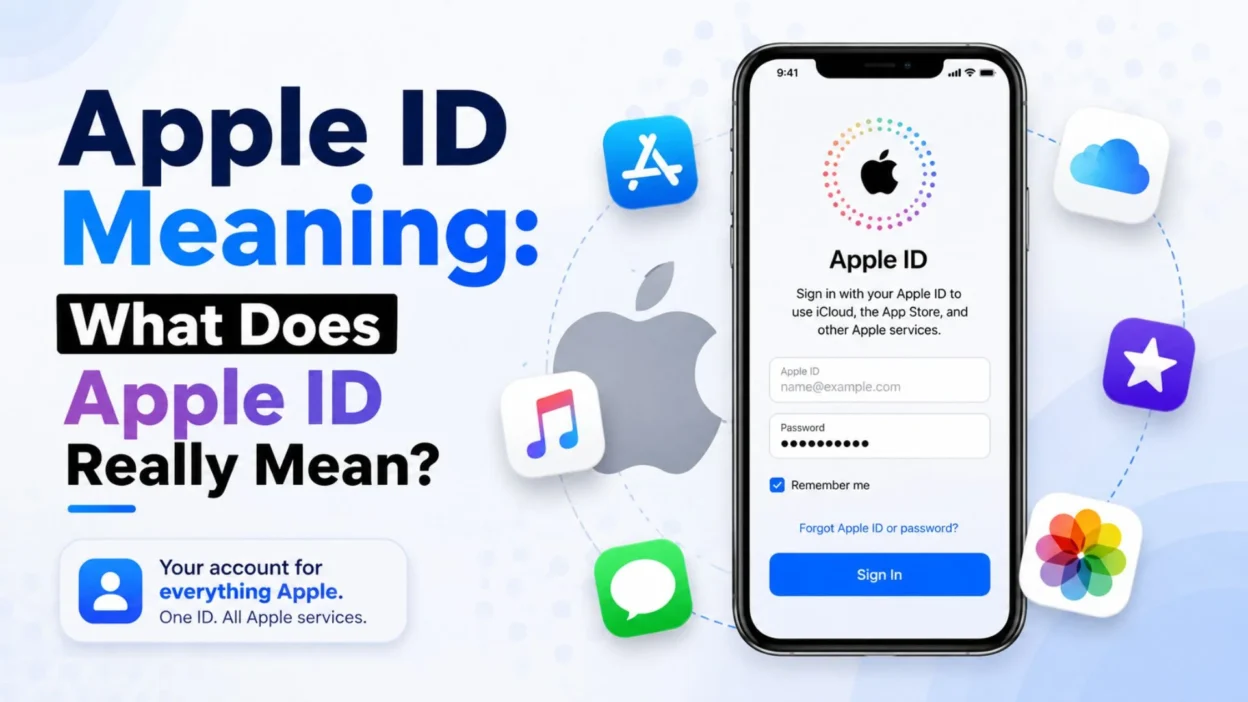
If you have ever used an iPhone, iPad, Mac, or App Store, you have probably seen the term Apple ID. But what does Apple ID meaning actually refer to?
In simple words, an Apple ID was your personal account for using Apple devices and services. Today, Apple officially calls it an Apple Account, but many people still search for “Apple ID” because the old name is very familiar.
Think of it as your digital key to the Apple world. One account can connect you to iCloud, the App Store, Apple Music, Messages, FaceTime, purchases, and more.
What Is the Apple ID Meaning?
The simplest Apple ID meaning is your personal identity or account for Apple services.
- It identifies you as an Apple user.
- It lets you sign in to Apple services.
- It connects your Apple devices to your account.
- It can use an email address or phone number for sign-in.
- It works with a password.
- It can store your account information.
- It connects with iCloud.
- It can be used with the App Store.
- It keeps track of Apple purchases.
- It can manage subscriptions.
- It can connect your devices.
- It helps protect your personal data.
- It supports account recovery.
- It can use two-factor authentication.
- It is designed for one person’s Apple services.
In short, your Apple ID was like your digital passport for Apple services. The current official name is Apple Account.
Apple ID vs Apple Account: What’s the Difference?
This is where things can get confusing.
- Apple ID is the older name.
- Apple Account is the current official name.
- The basic purpose remains the same.
- Your existing sign-in details still work.
- You can still see “Apple ID” in older articles.
- Many users still call it Apple ID.
- Apple now uses “Apple Account” in its current support documentation.
- Your email address can remain the same.
- Your phone number can be used for sign-in in supported locations.
- Your password remains important.
- Your purchases remain connected to your account.
- Your iCloud data remains connected to your account.
- Your Apple services remain accessible through the account.
- You do not normally need to create a completely new account just because of the name change.
- The change is mainly a terminology update.
So, if someone says “Apple ID meaning”, they are usually talking about what Apple now calls an Apple Account.
Why Do You Need an Apple ID?
An Apple Account gives you access to many Apple features.
- Download apps from the App Store.
- Use iCloud.
- Sync personal information.
- Use Apple Music.
- Use Messages.
- Use FaceTime.
- Use Find My.
- Manage subscriptions.
- Make App Store purchases.
- Access previous purchases.
- Sign in to Apple services.
- Set up Apple devices.
- Use Sign in with Apple.
- Manage account security.
- Recover your account.
Without an Apple Account, many of the best features of an iPhone or iPad would be unavailable.
It is basically the account that connects you, your device, and Apple’s services.
Is Apple ID the Same as an Email Address?
Not exactly.
Your email address can be used as the primary sign-in for your Apple Account, but the account itself is much more than an email address.
- An email address can be your sign-in name.
- A phone number can also work in supported regions.
- Your account has a password.
- Your account contains security information.
- Your account can contain payment details.
- Your account can have trusted phone numbers.
- Your account can have trusted devices.
- Your account can connect to iCloud.
- Your account can contain purchase history.
- Your account can manage subscriptions.
- Your account can contain additional contact information.
- Your account can have recovery options.
- Your account can use two-factor authentication.
- Your account connects Apple services together.
- Your email is simply one part of the account.
So don’t think of an Apple ID as “just an email.”
What Can You Do With an Apple Account?
Your Apple Account can unlock a large range of Apple services.
- Download free apps.
- Buy paid apps.
- Download previous purchases.
- Store files with iCloud.
- Sync photos through supported iCloud features.
- Sync contacts.
- Sync calendars.
- Use Apple Music.
- Use Apple TV services.
- Use Messages.
- Use FaceTime.
- Use Find My.
- Manage subscriptions.
- Manage payment methods.
- Use Sign in with Apple.
- Connect multiple Apple devices.
- Manage security settings.
Apple describes the account as the key to its products and services, including the App Store and iCloud.
What Is an Apple ID Used For on iPhone?
On an iPhone, your Apple Account plays a major role.
- It helps set up your iPhone.
- It connects your iPhone to iCloud.
- It lets you download apps.
- It stores your Apple service information.
- It connects purchases to your account.
- It helps synchronize supported data.
- It supports Find My.
- It helps manage subscriptions.
- It connects Apple services.
- It stores trusted device information.
- It helps with account recovery.
- It can protect your account with two-factor authentication.
- It lets you manage payment information.
- It can connect with other Apple devices.
- It provides a central account for Apple services.
That is why your Apple Account details are so important.
What Is Apple ID Used For in the App Store?
The App Store uses your Apple Account for downloads and purchases.
- Download free apps.
- Purchase paid apps.
- Download app updates.
- Access previous purchases.
- Manage subscriptions.
- Review payment information.
- Connect purchases to your account.
- Sign in to Apple media services.
- Keep your app history associated with your account.
- Manage certain subscriptions.
- Download compatible purchased content.
- Verify your identity when required.
- Access Apple services.
- Use your account across supported devices.
- Keep your purchases connected to the same account.
Apple notes that purchases are associated with the Apple Account used to make them, so using the correct account matters.
What Is Apple ID Used For in iCloud?
iCloud is another major reason people need an Apple Account.
- Store supported photos and videos.
- Sync supported files.
- Sync contacts.
- Sync calendars.
- Sync notes.
- Sync reminders.
- Keep information updated across devices.
- Access iCloud services.
- Find supported Apple devices.
- Manage iCloud storage.
- Back up supported device data.
- Keep personal information connected.
- Access iCloud through supported devices.
- Sign in to iCloud on the web.
- Manage your iCloud-related settings.
When you sign in to the same Apple Account on supported devices, Apple services can work together more smoothly.
Can You Have an Apple ID Without an iPhone?
Yes.
You do not necessarily need an iPhone to create or use an Apple Account.
- You can create an account on the web.
- You can use an iPad.
- You can use a Mac.
- You can use supported Apple services on Windows.
- You can use Apple Music on supported platforms.
- You can use Apple TV services on supported devices.
- You can access iCloud through the web.
- You can manage your account online.
- You can use supported Apple services without owning every Apple device.
- You can create an account before buying an iPhone.
- You can use your account later when you purchase an Apple device.
- You can manage account details online.
- You can update security information.
- You can manage supported payment information.
- You can review your account information.
Apple provides an official web-based account creation process through its Apple Account website.
How Do You Create an Apple ID?
Creating an Apple Account is fairly simple.
- Choose an Apple device or supported Apple service.
- Start the account creation process.
- Enter your name.
- Enter your date of birth.
- Provide an email address.
- Create a strong password.
- Select your country or region.
- Add a phone number when requested.
- Verify your email address.
- Verify your phone number when required.
- Set up account security.
- Enable two-factor authentication when available.
- Add payment information if needed.
- Review the information.
- Finish the setup.
You can also create an Apple Account on the web. Apple says the primary email address can be used to sign in, and a phone number may be required for verification.
Is an Apple ID Free?
Creating an Apple Account is generally free.
- You don’t need to buy an iPhone to create one.
- You don’t need to pay simply to have an account.
- You can download many free apps.
- Some Apple services require payment.
- Paid apps cost money.
- Some subscriptions cost money.
- Purchases can require a payment method.
- Adding payment information does not automatically mean every service is paid.
- You control your purchases.
- You can manage subscriptions.
- You can review payment methods.
- You can remove or update payment information where allowed.
- Free services remain available where Apple offers them.
- Account creation itself is not the same as buying a subscription.
- Your account can exist without paid purchases.
So, Apple Account = free account, while some Apple products and services are paid.
Can You Use Gmail for Apple ID?
Yes.
A Gmail address can be used as the primary email address for an Apple Account.
- You can use Gmail to create an account.
- Gmail can become your primary sign-in email.
- You can receive Apple verification emails there.
- You can receive account notifications there.
- You can use the address for account recovery.
- You can use another supported email address instead.
- You can use an iCloud email address in certain situations.
- You can add additional email addresses.
- Your email must be accessible.
- You should protect your email account too.
- You should never share your Apple Account password.
- You should keep recovery information updated.
- You should use a strong password.
- Two-factor authentication adds protection.
- You should avoid suspicious login requests.
The key point is simple: your Apple Account does not have to use an @icloud.com address.
What Is the Apple ID Password?
The Apple Account password protects your account.
- It helps verify your identity.
- It protects your personal account.
- It protects access to Apple services.
- It should be difficult for others to guess.
- It should not be shared.
- Avoid using obvious passwords.
- Avoid reusing weak passwords.
- Keep your password private.
- Change it if you think someone knows it.
- Use trusted devices when possible.
- Keep your recovery information updated.
- Use two-factor authentication.
- Don’t enter it on suspicious websites.
- Don’t give it to strangers.
- Apple support will not need you to casually share your password.
Your password is basically the lock on your Apple Account door. Keep the key to yourself.
What Happens If You Forget Your Apple ID?
Don’t panic. Forgetting your Apple Account password or sign-in information does not automatically mean your account is gone.
- Check your signed-in Apple devices.
- Open Settings on your iPhone.
- Tap your name.
- Check Sign-In & Security.
- Look for your email addresses.
- Check your phone numbers.
- Look through emails from Apple.
- Search for Apple receipts.
- Check Apple service emails.
- Try your commonly used email address.
- Use Apple’s account recovery options.
- Reset your password when appropriate.
- Verify your identity.
- Keep your trusted phone number available.
- Avoid random third-party recovery websites.
Apple provides official options for finding your sign-in email or phone number and recovering account access.
How Do You Find Your Apple ID on iPhone?
If you are wondering “What is my Apple ID?”, your iPhone can show the account information.
- Open Settings.
- Tap your name at the top.
- Select Sign-In & Security.
- Review your available email addresses.
- Review your phone numbers.
- Check the account information.
- Look at the Apple services connected to your account.
- Review trusted devices.
- Check account security settings.
- Review your primary email.
- Check additional contact information.
- Review your recovery options.
- Check two-factor authentication.
- Update information if necessary.
- Keep your details current.
Apple’s current instructions use Settings → your name → Sign-In & Security to find sign-in email addresses and phone numbers.
Is Apple ID Important for iCloud?
Yes. Your Apple Account is central to accessing iCloud services.
- It connects you to iCloud.
- It helps synchronize supported information.
- It provides access to your iCloud account.
- It connects supported Apple devices.
- It helps access iCloud data.
- It can support device backups.
- It can help locate supported devices.
- It can manage iCloud storage.
- It can connect supported photos.
- It can sync supported contacts.
- It can sync supported notes.
- It can sync supported calendars.
- It can keep information updated.
- It can be accessed through iCloud.com.
- It keeps your Apple services under one account.
This is one reason losing access to your Apple Account can be frustrating.
Can You Change Your Apple ID Email?
Yes, Apple allows you to change the primary email address associated with your Apple Account in supported situations.
- Open Settings on your iPhone.
- Tap your name.
- Select Sign-In & Security.
- Select your primary email address.
- Follow the instructions.
- Verify the new email address.
- Make sure you can access the new email.
- Don’t use an email already linked to another Apple Account.
- Keep your new email secure.
- Update important account information.
- Check your trusted contact information.
- Review your security settings.
- Keep your recovery information current.
- Remember that changing the primary email does not mean starting from scratch.
Apple states that changing the primary email does not remove your contacts, purchases, or other account information.
Apple ID and Security: Why Does It Matter?
Your Apple Account can contain access to valuable personal information and services.
- Use a strong password.
- Turn on two-factor authentication.
- Keep your phone number updated.
- Protect your email account.
- Don’t share verification codes.
- Don’t share your password.
- Avoid suspicious links.
- Check unexpected login requests carefully.
- Use trusted devices.
- Keep your software updated.
- Review devices connected to your account.
- Remove devices you no longer recognize.
- Keep recovery information current.
- Watch for phishing messages.
- Contact Apple through official support channels when needed.
Apple recommends security measures such as two-factor authentication and warns users about phishing attempts.
Common Apple ID Mistakes to Avoid
Many account problems come from simple mistakes.
- Creating multiple accounts without a good reason.
- Forgetting which email you used.
- Using a weak password.
- Sharing your password.
- Sharing verification codes.
- Ignoring security alerts.
- Using suspicious websites.
- Forgetting your trusted phone number.
- Using an email you no longer control.
- Signing into the wrong account.
- Mixing different accounts for purchases.
- Forgetting subscription details.
- Ignoring unfamiliar devices.
- Not updating account information.
- Assuming Apple ID and Apple Account are completely different accounts.
A little account organization can save you from a lot of headaches later.
Apple ID Meaning in Simple Words
Still confused? Let’s make it super easy.
- Apple ID = old name.
- Apple Account = current official name.
- It is your Apple account.
- It helps you sign in.
- It connects Apple services.
- It can connect your devices.
- It works with iCloud.
- It works with the App Store.
- It can manage purchases.
- It can manage subscriptions.
- It can use an email address.
- It can use a phone number in supported locations.
- It has a password.
- It can use two-factor authentication.
- It is important for your Apple digital life.
Imagine your Apple Account as a master key. Instead of carrying 15 tiny keys for different Apple services, you use one main key.
Much easier. And thankfully, no keychain required. 😄
FAQs
What does Apple ID mean?
Apple ID was Apple’s name for the personal account used to access Apple services and devices. Apple now officially calls it Apple Account, but existing sign-in details still work.
Is Apple ID the same as Apple Account?
Yes, in practical terms. Apple changed the name from Apple ID to Apple Account. Your existing email/phone number and password can still be used to sign in.
Is an Apple ID free?
Yes. Creating an Apple Account is generally free. However, some apps, subscriptions, media, storage plans, and other Apple services may cost money.
Can I use Gmail as my Apple ID?
Yes. A Gmail address can be used as the primary email address for an Apple Account. You can also use other supported email addresses.
What happens if I forget my Apple ID password?
You can use Apple’s official account recovery and password-reset options. If you are already signed in on an Apple device, you may be able to manage your account from Settings.
Conclusion
The easiest Apple ID meaning is simple: it is your personal account for accessing Apple’s services and connecting your Apple devices.
Today, Apple calls it an Apple Account, but the purpose is still familiar. It can give you access to services such as iCloud, the App Store, Apple Music, Messages, FaceTime, and more.
If this guide helped you understand Apple ID meaning, share it with someone who is confused about Apple ID vs Apple Account. And if you have an Apple Account question, drop it in the comments. 🍎

Muhammad Shahroz is a passionate writer who creates helpful content about messages and word meanings. He is committed to providing clear, accurate, and easy-to-understand information on TextsMessagez.com.