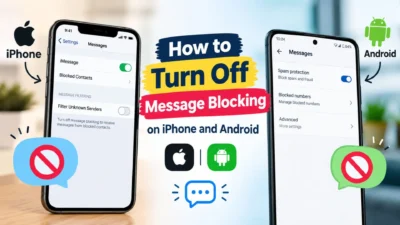
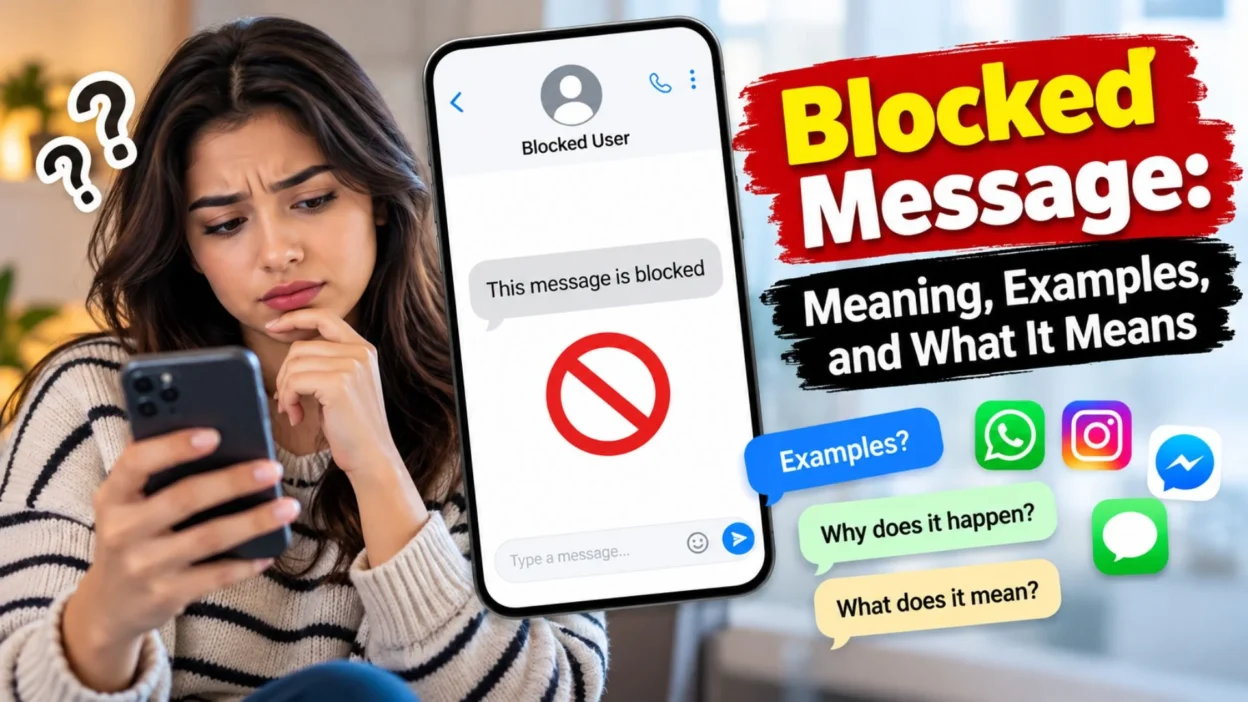
Have you ever sent a text and seen a “blocked message” notification? It can be confusing when you do not know what happened. A blocked message may mean that a message was stopped, filtered, or prevented from reaching someone.
In this article, we’ll explain the meaning of a blocked message, common reasons it happens, examples, and ways to fix messaging issues.
What Is a Blocked Message?
A blocked message is a text or communication that cannot be delivered or displayed because a system, app, or user has restricted it.
- A phone may block messages from a specific number.
- A messaging app may filter unwanted messages.
- A mobile carrier may stop a message for security reasons.
- A spam filter may prevent suspicious texts from reaching your inbox.
- A person may block your number to stop receiving your messages.
- A platform may restrict messages that break its rules.
- A message may be blocked because of privacy settings.
- Security software may stop a suspicious link or attachment.
- A business account may block messages from unknown senders.
- A message may be rejected because of a temporary service issue.
Important: A blocked message does not always mean that a person has blocked you. The exact meaning depends on the app, phone, and notification you see.
What Does “Blocked Message” Mean on a Phone?
On a mobile phone, a blocked message usually refers to a text that has been prevented from reaching the inbox or being sent.
- Your phone may have blocked the sender.
- The sender may be on your blocked contacts list.
- Your carrier may have filtered the text.
- The message may look like spam.
- Your phone may have security restrictions.
- A messaging app may have moved the message to a spam folder.
- The sender may be using a number that your phone does not trust.
- Your device may have a setting that filters unknown senders.
- A network issue may prevent delivery.
- An app update may change how blocked texts appear.
Check your messaging app’s blocked contacts and spam settings to understand what happened.
What Does a Blocked Message Mean in Texting?
In texting, a blocked message can have different meanings. It may describe a message that was stopped by a phone, app, carrier, or recipient.
- Message not delivered: The text did not reach its destination.
- Spam blocked: A filter stopped a suspicious message.
- Contact blocked: A person’s number has been restricted.
- Carrier blocked: The mobile provider stopped the message.
- App restriction: The messaging platform prevented communication.
- Unknown sender filter: A text from an unfamiliar number was filtered.
- Security block: A system flagged the message as unsafe.
- Account restriction: A messaging account cannot send certain messages.
- Temporary block: A service may stop messages for a limited time.
- Delivery failure: A technical problem prevented successful delivery.
These situations are different, so check the exact notification before deciding what it means.
Why Does a Message Get Blocked?
Messages can be blocked for several reasons. Some involve privacy and security, while others are caused by technical problems.
- The recipient blocked the sender.
- The sender blocked the recipient.
- The message was identified as spam.
- The text included a suspicious link.
- The mobile carrier restricted the message.
- The messaging app detected unusual activity.
- The recipient enabled unknown-sender filtering.
- The account temporarily lost permission to send messages.
- The message contained a file that the platform does not allow.
- A network problem interrupted delivery.
- The sender used an unsupported messaging format.
- The recipient’s privacy settings restricted incoming messages.
- The message exceeded a platform’s limits.
- A security app filtered the text.
- The service experienced a temporary outage.
Finding the cause is the first step toward fixing the issue.
How to Know If Someone Blocked Your Number
It is not always possible to know whether someone has blocked your number. Phones and apps handle blocked messages differently.
- Your texts may stop showing delivery confirmations.
- Your calls may behave differently than usual.
- Your messages may remain undelivered.
- You may see an error when trying to contact the person.
- A messaging app may limit your ability to send messages.
- The app may not tell you directly that you are blocked.
- Your messages may still appear to send from your phone.
- Delivery behavior may change after a recipient updates their settings.
- Network problems may create similar symptoms.
- The recipient may simply be unavailable.
Remember: None of these signs proves that someone blocked you. If a person has chosen not to receive messages, respect that boundary and avoid trying to bypass the block.
What Does a Blocked Message Look Like?
The appearance of a blocked message depends on your phone, messaging service, and carrier.
- A notification may say “Message blocked.”
- A text may appear in a spam folder.
- A message may show “Not delivered.”
- The app may display a warning icon.
- A message may disappear from the main inbox.
- A phone may show a blocked sender notice.
- An error may appear when sending a text.
- The message may remain pending.
- A security app may show a filtering alert.
- The app may provide no notification at all.
If you see an unfamiliar warning, read its full wording and check the app’s official help page.
How to Fix a Blocked Message on Android
If you use an Android phone, try these basic troubleshooting steps.
- Open your default Messages app.
- Check the spam and blocked folders.
- Review your blocked numbers list.
- Confirm that you have selected the correct messaging app.
- Restart your phone.
- Check whether mobile service is available.
- Turn Airplane Mode on and off.
- Update your messaging app.
- Install available phone system updates.
- Check your SMS settings.
- Confirm that your SIM card is working.
- Check with your mobile carrier if messages are still blocked.
- Review any third-party spam-filtering apps.
- Try sending a message to another trusted contact.
- Contact the app’s support team if the issue continues.
Menu names vary by phone brand and Android version. Do not assume that every blocked message is caused by the device.
How to Fix a Blocked Message on iPhone
On an iPhone, a blocked or undelivered message may relate to contact settings, iMessage, SMS, or network service.
- Open Settings and check your Messages settings.
- Review the blocked contacts list.
- Confirm that the recipient’s phone number is correct.
- Check whether iMessage is available.
- Make sure cellular service or Wi-Fi is working.
- Restart your iPhone.
- Install available iOS updates.
- Check whether the message appears in a filtered folder.
- Review settings for unknown senders.
- Try sending a regular SMS if appropriate.
- Check your carrier’s messaging service.
- Confirm that your account can send text messages.
- Check Apple’s system status if iMessage seems unavailable.
- Contact your carrier if SMS messages fail repeatedly.
- Contact Apple Support if the problem continues.
If you suspect that someone has blocked you, changing your phone settings will not remove their restriction.
What Does a Blocked Message Mean on WhatsApp?
On WhatsApp, a blocked message can refer to a message that cannot be delivered because of blocking, connectivity, account, or service issues.
- A recipient may have blocked your account.
- Your internet connection may be unavailable.
- The recipient may not have an active connection.
- Your account may face a temporary restriction.
- WhatsApp may be experiencing a service issue.
- The recipient may have changed accounts.
- Your app may need an update.
- A message may remain pending because of network problems.
- A privacy setting may affect what you can see.
- The app may not provide enough information to identify the exact cause.
WhatsApp does not provide a simple, guaranteed notification confirming that another person has blocked you. Avoid relying on one sign alone.
What Does a Blocked Message Mean on Messenger?
On Facebook Messenger, a blocked message may relate to a person’s blocking settings, message delivery restrictions, or account status.
- The person may have blocked your profile.
- You may have restricted or blocked the person.
- The message may be in Message Requests.
- Your account may have a temporary messaging restriction.
- The recipient may have deactivated their account.
- Messenger may have a temporary technical issue.
- Your internet connection may be unstable.
- The app may need an update.
- A security filter may limit communication.
- The recipient’s privacy settings may affect message requests.
Check Messenger’s notification and account settings to understand the issue. Respect the recipient’s privacy if they have chosen to restrict contact.
What Does a Blocked Message Mean on Instagram?
Instagram may restrict direct messages because of privacy settings, account restrictions, or spam protection.
- The recipient may not accept messages from everyone.
- Your message may go to Message Requests.
- The person may have blocked your account.
- Instagram may temporarily restrict your messaging activity.
- Your account may trigger spam protections.
- The recipient may have deactivated their profile.
- The app may experience a technical issue.
- A suspicious link may trigger a security check.
- Your internet connection may be unstable.
- The recipient’s settings may limit incoming messages.
If Instagram displays an account restriction, review the notification and follow the official appeal or troubleshooting steps where available.
Blocked Message vs. Message Not Delivered
These terms sound similar, but they do not always mean the same thing.
Term
Meaning
Blocked message
A system or user restriction may have stopped the message.
Not delivered
The message has not successfully reached its destination.
Failed to send
The app could not send the message.
Spam message
A message identified as unwanted or suspicious.
Message request
A message waiting for approval or filtering.
Read message
A message that the recipient has opened, where read receipts are supported.
A message that is not delivered may simply be delayed. A blocked message may involve an explicit restriction, but the exact meaning depends on the service.
Can You Receive Messages From a Blocked Number?
That depends on your phone and messaging app.
- Some phones move blocked texts to a separate folder.
- Some apps hide blocked messages from the main inbox.
- Some services prevent the messages from appearing at all.
- A blocked caller may still leave voicemail on certain devices or services.
- Blocking behavior may differ between calls, SMS, and app messages.
- Unblocking a number may allow future messages, but old blocked messages may not appear.
- A carrier may apply separate filtering rules.
- A third-party app may manage blocked messages differently.
- Business messaging services may have their own restrictions.
- Some apps do not notify you when a blocked sender tries to contact you.
Check the official instructions for your device or app to see how it handles blocked messages.
What Happens When You Unblock Someone?
Unblocking a contact usually removes a restriction on future communication. However, it does not guarantee that earlier messages will appear.
- The person may be able to send new texts.
- Future calls may be allowed.
- Messages may still fail because of network issues.
- Previously blocked texts may not be restored.
- The other person may still have you blocked.
- App-specific restrictions may remain active.
- You may need to unblock the person in more than one app.
- Carrier spam filters may still stop some messages.
- The contact may need to use the correct number.
- Privacy settings may continue to limit communication.
After unblocking someone, test communication only when appropriate and welcome.
How to Stop Your Own Messages From Being Blocked
If your messages are repeatedly blocked, check whether the issue is related to your sending behavior or service settings.
- Send messages only to people who expect them.
- Avoid sending repeated texts to strangers.
- Use a valid phone number.
- Keep messages relevant to the recipient.
- Avoid suspicious or shortened links.
- Do not send the same promotional text to many people.
- Follow the messaging app’s rules.
- Confirm that your mobile plan supports texting.
- Keep your messaging app updated.
- Avoid attachments that may trigger security filters.
- Check whether your account has restrictions.
- Ask your carrier whether it has blocked outgoing messages.
- Do not use unauthorized bulk-messaging tools.
- Respect requests to stop messaging.
- Contact official support if you believe the block is an error.
These steps can reduce preventable messaging problems, although they cannot guarantee delivery.
How to Check Your Blocked Contacts List
Your blocked contacts list can help explain why you are not receiving messages from a particular number.
- Open your phone’s Settings.
- Find the Phone, Messages, or Contacts section.
- Look for a blocked contacts option.
- Review the numbers listed there.
- Check whether the number is saved under another name.
- Review the blocked list inside your messaging app.
- Check third-party call-blocking applications.
- Review spam-filter settings.
- Remove a number only if you want to allow contact again.
- Send a test message if it is appropriate.
The exact steps vary by device. If you cannot find the setting, search the official support page for your phone model.
Can a Blocked Message Be Recovered?
Sometimes, but not always. Recovery depends on where the message was stored and how the app handles blocking.
- Check the spam folder.
- Check archived conversations.
- Look for filtered messages.
- Review your messaging app’s blocked folder.
- Check whether you have a recent device backup.
- Review your carrier’s available message services.
- Check whether the message was ever delivered.
- Ask the sender to resend it if appropriate.
- Review the app’s official recovery guidance.
- Avoid third-party recovery apps that request unnecessary access.
If a message was never delivered or was discarded by the service, it may not be recoverable.
Is a Blocked Message a Sign of a Scam?
Not by itself. A blocked message can result from normal privacy settings or a technical problem. However, some suspicious messages are blocked for safety reasons.
- Be cautious of unknown senders asking for money.
- Do not share passwords or verification codes.
- Avoid clicking suspicious links.
- Do not download unexpected attachments.
- Check the sender through an official channel.
- Ignore threats demanding urgent payment.
- Never share bank details with an unverified contact.
- Report obvious spam through the app.
- Block repeat scam senders.
- Contact your bank directly if you shared financial information.
A blocked message notification is not proof of fraud. Check the sender and the message details before taking action.
Blocked Message Notifications: What Should You Check?
A notification can provide useful clues about why a message was stopped.
- Read the full notification.
- Note which app displayed it.
- Check whether it refers to incoming or outgoing messages.
- Look for a specific error code.
- Check whether the notification mentions spam.
- Review recent changes to your settings.
- Confirm that your phone has a signal.
- Check whether other messages are working.
- Update the app if necessary.
- Contact official support if the warning remains unclear.
Avoid guessing based on a few words. The exact notification is usually more useful than the phrase “blocked message” alone.
Common Myths About Blocked Messages
There are many misunderstandings about message blocking. Here are a few facts to remember.
– Myth: Every blocked message means a person blocked you. Fact: Apps, carriers, and spam filters can also block messages.
– Myth: No delivery receipt proves you are blocked. Fact: Network problems can also prevent delivery confirmations.
– Myth: Unblocking always restores old messages. Fact: Previously blocked messages may not be recovered.
– Myth: Every blocked text is dangerous. Fact: Many blocks happen because of ordinary settings.
– Myth: Reinstalling an app fixes every messaging problem. Fact: The cause may be related to the account or carrier.
– Myth: All messaging apps block contacts in the same way. Fact: Each service has different rules.
– Myth: You can always tell when someone blocks you. Fact: Many services keep blocking behavior private.
– Myth: A blocked message always means the recipient received it. Fact: Some blocked messages never reach the recipient.
– Myth: A third-party app can reveal every blocked contact. Fact: Such claims may be misleading or unsafe.
– Myth: Sending the message repeatedly will solve the problem. Fact: Repeated attempts may trigger spam protections.
When Should You Contact Customer Support?
Contact support when basic troubleshooting does not resolve the issue or when the notification suggests an account restriction.
- Your phone cannot send any text messages.
- You receive repeated blocking errors.
- Your carrier confirms an account issue.
- Your messaging account is restricted.
- You suspect your account was compromised.
- Messages from trusted contacts are repeatedly filtered.
- The app displays an unfamiliar error code.
- You have updated your settings but the problem remains.
- You need help recovering an important message.
- You believe a message was blocked by mistake.
Use the official app or carrier support channel. Never share your password or verification code with someone claiming to fix your messages.
FAQs
Does a blocked message mean someone blocked me?
Not always. A phone, carrier, app, or spam filter may have stopped the message. Check the exact notification before drawing a conclusion.
Can I tell if someone blocked my text messages?
There is no universal way to confirm this. Delivery behavior varies by device and app, and network issues can cause similar signs.
Do blocked messages arrive after unblocking someone?
Not necessarily. Some apps do not restore messages that were blocked earlier. New messages may work once the restriction is removed.
Why are my messages blocked even when I have a signal?
A signal does not guarantee message delivery. Check your messaging settings, account status, carrier service, and spam filters.
Is a blocked message dangerous?
Usually, the notification itself is not dangerous. Still, be careful with unknown senders, suspicious links, and requests for personal information.
Conclusion
A blocked message can mean that a text was stopped by a phone setting, messaging app, carrier, spam filter, or recipient. It does not automatically mean someone has blocked you personally.
Check the notification, review your settings, and troubleshoot your connection before deciding what happened. If this guide helped you, share it with someone who has the same problem or leave a comment about the app you use.

Muhammad Shahroz is a passionate writer who creates helpful content about messages and word meanings. He is committed to providing clear, accurate, and easy-to-understand information on TextsMessagez.com.