
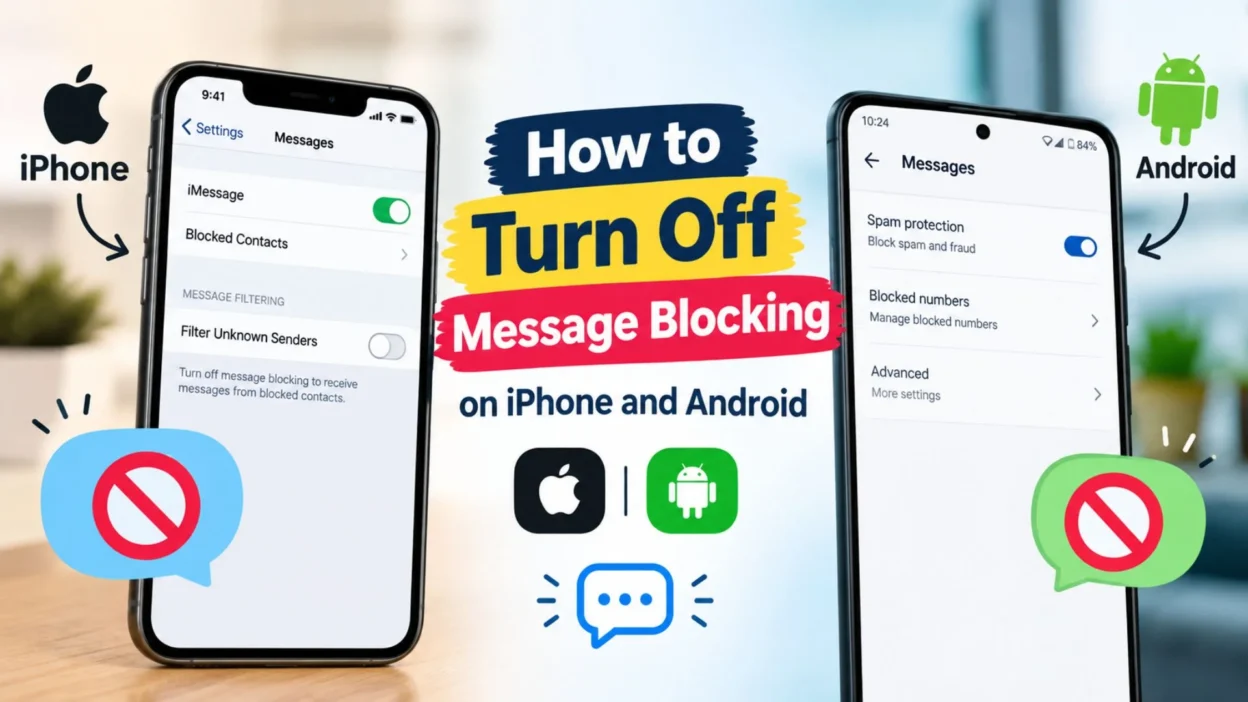
Are your text messages failing to send? Do you see a “Message Blocking Is Active” error on your phone? This issue can be frustrating, especially when you need to send an important message.
The good news is that you can often fix it with a few simple steps. In this guide, you will learn how to turn off message blocking on iPhone and Android, check your settings, and solve common texting problems.
What Does Message Blocking Mean?
Message blocking means your phone, mobile carrier, or messaging service is stopping a text message from being sent or received.
Sometimes, the problem comes from a phone setting. In other cases, your carrier may have restricted texting on your account.
Here are some common reasons:
- Your mobile carrier has blocked outgoing text messages.
- Your account has a messaging restriction.
- Your phone has blocked the recipient’s number.
- Your plan does not include SMS messaging.
- Your bill or account status needs attention.
- Your phone has incorrect messaging settings.
- Your SIM card is not working correctly.
- Your carrier has a temporary service problem.
- Your message contains content that triggers a filter.
- Your account has a temporary security restriction.
Before changing your settings, check the exact error message. This can help you find the right solution faster.
How to Turn Off Message Blocking on iPhone
If you use an iPhone, start with your Messages settings and blocked contacts list. However, remember that the “Message Blocking Is Active” error often comes from your mobile carrier rather than an iPhone setting.
1. Check Your Blocked Contacts
First, make sure you have not blocked the person you want to contact.
- Open the Settings app.
- Go to the blocked contacts section. The location can vary by iOS version.
- Review the list of blocked numbers and contacts.
- Find the person you want to message.
- Remove the contact from the list if you want to allow messages from them.
- Return to Messages and try again.
Unblocking a contact only changes your phone’s blocking settings. It will not remove a restriction placed by the recipient or your carrier.
2. Check Your Messages Settings
Incorrect messaging settings may cause some texts to fail.
- Open Settings on your iPhone.
- Tap Apps, then Messages, on newer iOS versions. Older versions may show Messages directly in Settings.
- Check whether iMessage is enabled.
- Confirm that Send as Text Message is available and enabled if you want your iPhone to try SMS when iMessage is unavailable.
- Return to your conversation.
- Try sending the message again.
These settings help with some delivery problems. They do not override carrier restrictions or another person’s block.
3. Turn Airplane Mode On and Off
A temporary network issue may prevent messages from sending.
- Open Control Center.
- Turn Airplane Mode on.
- Wait about 10 seconds.
- Turn Airplane Mode off.
- Wait for your phone to reconnect to the mobile network.
- Open Messages and try again.
If the problem continues, move to the next step.
4. Restart Your iPhone
Restarting your phone can resolve temporary software or network problems.
- Press and hold the appropriate buttons for your iPhone model.
- Use the power-off slider.
- Wait until the phone shuts down.
- Turn it back on.
- Wait for your mobile signal to return.
- Try sending a text message.
If every message still fails, your carrier may need to check your account.
How to Turn Off Message Blocking on Android
Android phones have different menus depending on the manufacturer and operating system version. The following steps work as a general guide.
1. Check Your Blocked Numbers
Your phone may be blocking the number you want to contact.
- Open the Phone app.
- Tap the menu icon.
- Open Settings.
- Look for Blocked numbers or Call blocking.
- Review the blocked list.
- Unblock the number if you want to receive calls or texts from it.
- Open your messaging app.
- Try sending a new message.
Some Android phones manage blocked messages inside the Messages app instead. Check both apps if you cannot find the setting.
2. Check the Messages App
Your messaging app may have filtered or blocked a conversation.
- Open Google Messages or your default messaging app.
- Tap your profile picture or the menu icon.
- Look for Spam and blocked.
- Review the conversations in that folder.
- Restore a conversation if you blocked it by mistake.
- Check the app’s settings for spam protection.
- Try sending a message again.
Spam protection helps reduce unwanted texts. Do not disable it unless you understand why it is affecting your messages.
3. Set the Correct Default SMS App
If you have more than one messaging app, your phone may be using the wrong one.
- Open Settings.
- Go to Apps.
- Open Default apps.
- Select SMS app.
- Choose the messaging app you want to use.
- Return to the app and test your messages.
The exact menu names may differ by phone brand. This step is useful when your messaging app is not handling SMS correctly.
4. Restart Your Android Phone
A restart can refresh your phone’s connection to the mobile network.
- Press and hold the power button, or use the power menu.
- Select Restart.
- Wait for your phone to turn back on.
- Check that your SIM has a signal.
- Open your messaging app.
- Send a test message.
If the error remains, check your carrier account and SMS service.
How to Fix “Message Blocking Is Active”
The message “Message Blocking Is Active” often appears when a carrier or account restriction prevents a text from being sent. The exact cause depends on your mobile provider.
Try these steps in order:
- Check whether your mobile service is active.
- Confirm that your plan supports SMS messages.
- Check whether your account has an unpaid balance or service restriction.
- Make sure you have selected the correct SIM for texting if you use dual SIMs.
- Confirm that the recipient’s phone number is correct.
- Restart your phone.
- Check whether other text messages are also failing.
- Contact your mobile carrier and ask whether outgoing SMS is blocked on your line.
- Ask whether your account needs a texting feature or permission enabled.
- Follow the carrier’s instructions to remove any valid restriction.
If the message says “Message Blocking Is Active,” changing your phone’s blocked contacts list may not solve the problem. Your carrier may need to make the change.
How to Check If Your Carrier Is Blocking Text Messages
Your mobile carrier manages SMS service and may apply restrictions to your account.
Here is how to investigate the problem:
- Open your carrier’s official app or website.
- Sign in to your account.
- Check your plan and messaging features.
- Look for account notices or service restrictions.
- Review your balance if your plan requires payment.
- Check for any parental or account-level restrictions you are authorized to manage.
- Confirm that SMS is included in your plan.
- Contact customer support.
- Explain the exact error shown on your phone.
- Ask whether the carrier has blocked outgoing or incoming SMS.
Do not share your account password or verification codes with anyone claiming to remove the restriction.
How to Turn Off Message Blocking With T-Mobile
If you use T-Mobile and see a message-blocking error, check your account and contact T-Mobile support if needed.
- Confirm that your line is active.
- Check your account for restrictions or service notices.
- Make sure your plan supports the type of message you are sending.
- Restart your phone.
- Try sending a simple text without a link or attachment.
- Check whether the issue affects one number or all numbers.
- Contact T-Mobile through its official support channels.
- Ask whether SMS blocking or an account restriction is active on your line.
- Follow the steps provided by the carrier.
The exact solution depends on your account and plan. Do not assume that a single phone setting controls every T-Mobile messaging restriction.
How to Turn Off Message Blocking With AT&T
AT&T customers should check their phone settings and account status before making changes.
- Confirm that your mobile line is active.
- Review your plan’s texting features.
- Check for account restrictions.
- Make sure the recipient’s number is correct.
- Restart your device.
- Test another text message.
- Check whether the problem affects all contacts.
- Contact AT&T support if the error continues.
- Ask whether outgoing SMS is restricted on your line.
- Follow the official instructions for your account.
If the problem affects every recipient, a carrier-side issue is more likely than a single blocked contact.
How to Turn Off Message Blocking With Verizon
Verizon users can check their device settings and mobile account to identify the cause.
- Check that your line is active.
- Review your plan and texting features.
- Check your account for restrictions.
- Confirm that the recipient’s number is correct.
- Restart your phone.
- Test whether you can send a text to another contact.
- Check whether calls and mobile data work normally.
- Contact Verizon support if texts continue to fail.
- Ask whether message blocking is enabled on your line.
- Follow the carrier’s instructions to resolve the issue.
Carrier settings and plan details can change. Use Verizon’s official support channels for account-specific help.
Check Your SIM Card and Mobile Signal
A SIM card or network problem can make messages fail even when no blocking setting is enabled.
- Check the signal bars on your phone.
- Move to an area with better reception.
- Turn Airplane Mode on and off.
- Restart your phone.
- Check that your SIM is active.
- If you use dual SIMs, select the correct line for SMS.
- Check whether your carrier has an outage.
- Install available phone updates.
- Test whether calls work.
- Contact your carrier if the SIM or line appears inactive.
If your phone has no mobile service, fix that issue before changing message-blocking settings.
Check Whether Your Texting Plan Is Active
Some mobile plans have limits or restrictions on text messaging. This can happen with prepaid, business, or family plans.
- Check your current plan.
- Confirm that SMS is included.
- Review your remaining balance if needed.
- Check whether your service has expired.
- Review account restrictions.
- Confirm that international texting is supported if you are messaging another country.
- Check whether premium or short-code messages are restricted.
- Contact your provider if your plan details are unclear.
A plan restriction is different from blocking a contact on your phone. Your provider can explain which type of restriction applies.
What If You Can Receive Texts but Cannot Send Them?
If incoming texts work but outgoing texts fail, the problem may involve your account, plan, or outgoing SMS service.
Try the following:
- Check whether your plan allows outgoing SMS.
- Confirm that your account is active.
- Verify the recipient’s number.
- Select the correct SIM for sending.
- Restart your phone.
- Check your default SMS app.
- Test a simple message without a link.
- Check whether only international messages fail.
- Contact your carrier and ask about outgoing SMS restrictions.
If you can receive messages from everyone but cannot send any, your carrier is a good place to start.
What If You Can Send Texts but Cannot Receive Them?
When outgoing texts work but incoming messages do not, review your blocking and filtering settings.
- Check your blocked contacts list.
- Review the spam folder.
- Make sure your inbox is working normally.
- Check whether the sender’s number is correct.
- Restart your phone.
- Check your mobile signal.
- Review your messaging app’s filtering settings.
- Test with a message from another trusted contact.
- Contact your carrier if incoming SMS from multiple people fails.
If only one person’s messages are missing, check the contact settings first. If messages from everyone are missing, ask your carrier to investigate.
How to Tell Whether a Contact Is Blocked or Your Carrier Is Blocking Messages
The difference can help you choose the right fix.
- If messages fail only with one contact, check that contact’s number and your blocking settings.
- If messages fail with every contact, check your account and mobile service.
- If you see “Message Blocking Is Active,” ask your carrier whether an account restriction exists.
- If incoming texts are hidden, check your spam and blocked folders.
- If calls and data also fail, check your signal and account status.
- If the app shows a specific error, read the full message before troubleshooting.
These signs can point you in the right direction, but they do not always prove the cause. Your carrier or app support team can confirm account-level restrictions.
Common Mistakes to Avoid When Fixing Message Blocking
Changing settings at random can waste time or create new problems.
- Do not assume that someone has blocked you based on one error.
- Do not repeatedly send the same message.
- Do not disable all spam protection without a reason.
- Do not install unknown apps that promise to unblock every message.
- Do not share verification codes with support impostors.
- Do not reset your phone before trying simple troubleshooting steps.
- Do not delete conversations unless you have checked whether you need them.
- Do not assume that iMessage and SMS use the same delivery system.
- Do not expect unblocking a contact to remove carrier restrictions.
- Do not ignore a carrier notice about your account.
Start with the simplest checks. If the error remains, contact your carrier before performing a factory reset.
When Should You Contact Your Mobile Carrier?
Contact your carrier if you cannot resolve the issue with normal phone settings.
- The “Message Blocking Is Active” error keeps appearing.
- You cannot send texts to any number.
- Incoming messages have stopped unexpectedly.
- Your account may have a service restriction.
- Your plan details are unclear.
- Your SIM card appears inactive.
- Text messages fail even after restarting your phone.
- Your account shows an unexpected restriction.
- Only certain types of messages fail.
- You suspect the issue is on the carrier’s network.
Tell the support representative what phone you use, when the problem started, and the exact error message. This information can help them identify the issue faster.
FAQs
How do I turn off message blocking?
Check your phone’s blocked contacts list and messaging settings first. If you see “Message Blocking Is Active,” contact your mobile carrier because the restriction may be on your account.
Why does my iPhone say message blocking is active?
The error may be caused by a carrier restriction, an account issue, or a problem with SMS service. Check your account and ask your carrier whether outgoing texts are blocked.
How do I turn off message blocking on Android?
Review blocked numbers and spam settings in your Phone and Messages apps. If texts still fail, check your SIM, plan, and carrier account.
Does message blocking mean someone blocked my number?
Not necessarily. The error may come from your phone, app, carrier, or account settings. Check the exact notification before assuming another person blocked you.
Will restarting my phone turn off message blocking?
Restarting can fix temporary network or software issues. However, it will not remove a restriction applied by your mobile carrier or another person’s account.
Conclusion
Learning how to turn off message blocking starts with finding out where the restriction comes from. Check your blocked contacts, review your messaging settings, restart your phone, and confirm that your mobile plan supports texting.
If you still see “Message Blocking Is Active,” contact your carrier and ask whether SMS is restricted on your account. With the right troubleshooting steps, you can identify the problem and get your messages working again.
If this guide helped you, share it with someone facing the same issue or leave a comment about your phone model and the error you see.

Muhammad Shahroz is a passionate writer who creates helpful content about messages and word meanings. He is committed to providing clear, accurate, and easy-to-understand information on TextsMessagez.com.