
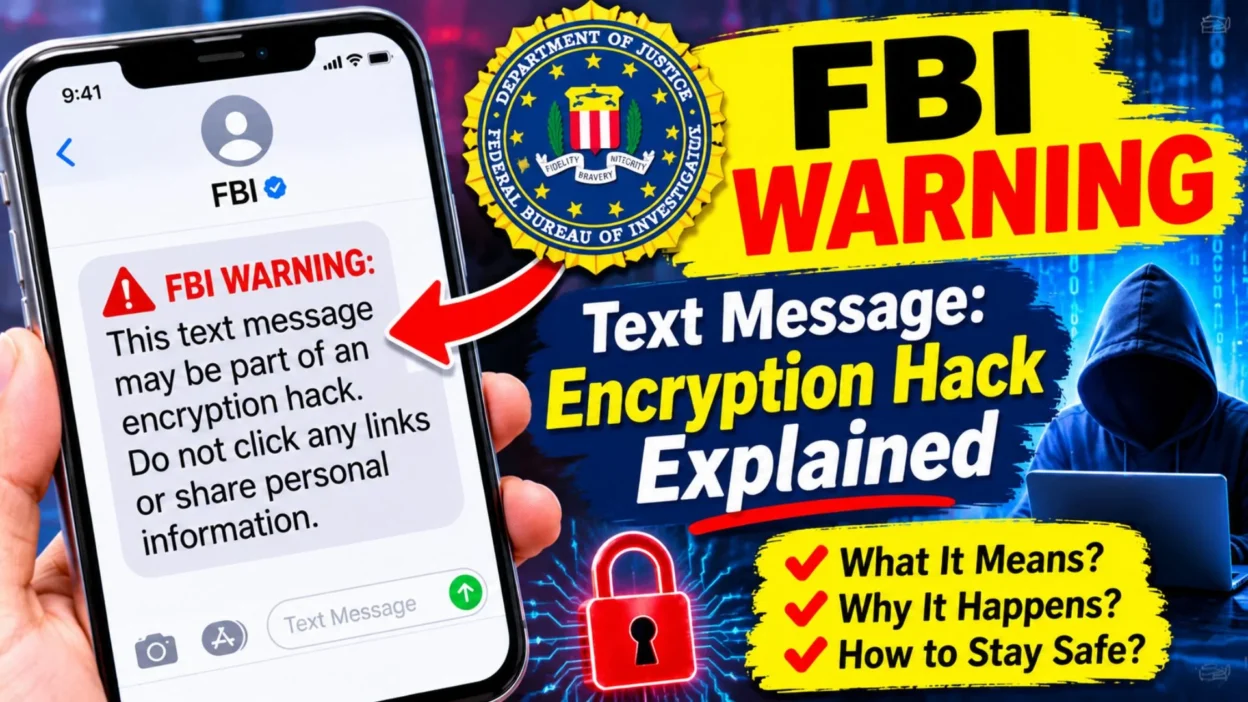
Have you received a suspicious text message claiming that your messaging account has a security problem? You are not alone. The FBI has warned about cybercriminals targeting messaging app users through fake security alerts and phishing messages.
The FBI warning text message issue has raised concerns about online privacy and encrypted conversations. Many people worry that hackers can read their private messages or break the encryption used by popular messaging apps.
However, there is an important difference between hacking an app’s encryption and stealing access to someone’s account.
In March 2026, the FBI and CISA warned about phishing campaigns targeting commercial messaging applications. Their investigation found that attackers had gained access to individual accounts, but had not broken the apps’ encryption systems.
In this guide, you will learn what the FBI warning means, how these attacks work, how to recognize suspicious messages, and how to protect your accounts.
What Is the FBI Warning Text Message About?
The FBI and the Cybersecurity and Infrastructure Security Agency (CISA) issued a public warning on March 20, 2026.
The warning explained that cybercriminals associated with Russian intelligence services were targeting users of commercial messaging applications.
These attackers were using phishing techniques to gain access to individual accounts.
Their campaigns mainly targeted people considered valuable intelligence targets, including government officials, military personnel, political figures, and journalists.
According to the FBI, thousands of individual messaging accounts had been compromised.
However, the agencies made an important clarification: the attackers had not broken the encryption of the messaging applications themselves.
Instead, they tricked users into sharing sensitive information, such as verification codes and account PINs.
This allowed attackers to connect unauthorized devices or take control of accounts.
Did Hackers Break Messaging App Encryption?
No. The FBI’s March 2026 announcement did not report that hackers had broken the encryption used by messaging applications.
This distinction is important because encryption protects messages while they travel between users.
However, encryption cannot protect an account if someone gives an attacker access to it.
For example, imagine that you use an encrypted messaging app to communicate with a friend.
Your conversations may be protected by end-to-end encryption. However, if a criminal tricks you into sharing your verification code, they may gain access to your account.
Once inside, the attacker could potentially read accessible conversations, view contacts, and send messages from your account.
This is an account security problem, not necessarily an encryption failure.
How Do Hackers Access Encrypted Messaging Accounts?
Cybercriminals often use social engineering to trick people into providing information.
They may pretend to be customer support representatives or automated security systems.
Here are some common methods used in these attacks.
1. Fake Security Messages
Attackers send messages claiming that suspicious activity has been detected on your account.
They may tell you that someone is trying to access your private conversations.
The message might ask you to verify your identity immediately.
Its purpose is to create fear and encourage you to act without thinking.
2. Stolen Verification Codes
A verification code helps confirm your identity when registering or accessing an account.
However, scammers may try to convince you to share this code with them.
They might pretend that they need it to protect your account.
Never share a verification code with someone who contacts you unexpectedly.
3. Fake Customer Support Accounts
Some criminals create profiles that look like official support accounts.
They may use company logos, professional names, and convincing messages.
Their goal is to make users believe they are communicating with legitimate customer support.
Remember that a profile picture or official-looking name does not prove someone’s identity.
4. Unauthorized Device Linking
Some messaging applications allow users to connect additional devices to their accounts.
Attackers may trick victims into approving an unknown device.
Once connected, that device may provide access to account information and conversations.
Always review your linked devices and remove anything you do not recognize.
5. Fake Backup Recovery Requests
Criminals may also send messages claiming that your chat backups are at risk.
They might ask you to share a backup recovery key to prevent data loss.
Never send your recovery key to an unknown person or through an unexpected chat message.
What Types of Text Messages Should You Avoid?
Not every security message is genuine.
Scammers often use urgent language to make their messages appear important.
Here are some examples of suspicious messages:
- Your account has been hacked. Verify your identity now.
- Suspicious activity detected. Send your verification code.
- Your private messages are at risk. Click here to restore access.
- An unknown device has connected to your account.
- Your account will be permanently disabled unless you verify it.
These examples are illustrative. They are not official FBI messages.
If you receive something similar, do not click unknown links or share personal information.
Instead, open the messaging application directly and check its official security settings.
How to Identify a Fake FBI Warning Text Message
Scammers may use the FBI’s name to make fraudulent messages look trustworthy.
They might claim that the FBI has detected suspicious activity on your phone.
However, you should not assume that a message is genuine simply because it includes an official agency name.
Look for these warning signs.
Unexpected Links
A suspicious message may contain a link asking you to verify your account.
Avoid opening links from unknown senders.
If you need to check your account, visit the official application or website yourself.
Requests for Passwords or Codes
Legitimate support teams should not ask you to send your private verification codes through an unexpected direct message.
Never share your password, PIN, or one-time verification code.
Urgent Threats
Messages that threaten immediate account closure or permanent data loss may be designed to create panic.
Take time to verify the information before responding.
Unknown Senders
Be careful when receiving unexpected messages from unfamiliar phone numbers or accounts.
Even a message that appears to come from someone you know could be fraudulent if their account has been compromised.
How to Protect Your Messaging Account From Hackers
You do not need advanced technical knowledge to improve your account security.
A few simple habits can make a significant difference.
1. Enable Two-Step Verification
Two-step verification adds another layer of security to your account.
Enable this feature through the official settings of your messaging application.
Choose a strong PIN that is difficult for others to guess.
2. Never Share Verification Codes
Your verification code is private.
Do not send it to strangers, customer support accounts, or people claiming to be security experts.
Even if a message looks genuine, verify the request independently.
3. Review Linked Devices
Open your messaging app’s linked devices section.
Check whether any unfamiliar phones, computers, or browsers have access.
Remove devices you do not recognize.
4. Keep Your Applications Updated
App updates often include important security improvements.
Install updates from official app stores or trusted sources.
Avoid downloading modified applications from unknown websites.
5. Use a Strong Phone Lock
Your phone contains personal conversations, photos, and other sensitive information.
Protect it with a strong PIN, password, fingerprint, or face recognition.
Do not leave your device unlocked around people you do not trust.
6. Avoid Suspicious Links
Unexpected links can lead to fake websites or malicious downloads.
Always check the sender before opening an attachment or visiting an unfamiliar website.
7. Protect Your Backup Recovery Keys
Some messaging applications offer encrypted backups.
If you use this feature, keep your recovery key private and stored in a secure location.
Never paste it into an unexpected chat or send it to someone claiming to be support.
What Should You Do If Your Messaging Account Is Hacked?
If you believe someone has accessed your account without permission, take action as soon as possible.
Follow these steps.
Step 1: Open the Official Application
Use the official app installed on your device.
Avoid following instructions from suspicious messages.
Step 2: Check Linked Devices
Review all connected devices.
Remove any device that you do not recognize.
Step 3: Secure Your Account
Change your account PIN or password if the application provides this option.
Enable two-step verification if it is not already active.
Step 4: Protect Your Contacts
Tell your close contacts that your account may have been compromised.
Ask them to ignore unusual messages or requests coming from your account.
Step 5: Contact Official Support
Use the application’s official website or support channel to report the problem.
Never use contact information supplied in a suspicious message.
Step 6: Report the Incident
If you experience a cybercrime incident, you can report it to the appropriate authorities.
The FBI accepts cybercrime reports through its Internet Crime Complaint Center (IC3). Users outside the United States should also contact the relevant local cybercrime reporting authority.
Does the FBI Warning Apply to Signal and WhatsApp?
The FBI’s March 2026 announcement specifically discussed commercial messaging applications and highlighted attacks against Signal accounts.
However, the same general phishing techniques can potentially target users of other messaging services.
Signal
Signal uses end-to-end encryption to protect private conversations.
However, users should still protect their account registration details and review linked devices.
Enable Registration Lock and Screen Lock where available.
Never share Signal verification codes or backup recovery keys.
WhatsApp also uses end-to-end encryption for personal messages and calls.
Users should enable two-step verification and review linked devices regularly.
Be careful with unexpected requests to scan QR codes or share account verification information.
Telegram
Telegram provides different chat types with different privacy features.
Secret Chats use end-to-end encryption, while regular Cloud Chats use a different encryption model.
Users should enable two-step verification and avoid sharing login codes.
Remember that no messaging service can protect your account if you willingly give an attacker access.
Latest FBI Update on Messaging App Security in 2026
The FBI and CISA issued another public service announcement on June 26, 2026.
This update provided additional information about ongoing attacks against commercial messaging applications.
It also highlighted an important risk involving backup recovery keys.
If a user shares a compromised backup recovery key, creating a new account with the same phone number may not automatically make the old key invalid.
The FBI explained that users should generate a new Backup Recovery Key through the appropriate settings when necessary.
This helps invalidate the previous key for future backup downloads.
However, it does not undo a backup that an attacker may have already downloaded.
The update also repeated several important security reminders:
- Never share verification codes.
- Do not trust unexpected account recovery requests.
- Avoid suspicious links.
- Use official support channels.
- Review your account security settings regularly.
These recommendations can help reduce the risk of unauthorized access.
Frequently Asked Questions (FAQs)
1. What Is the FBI Warning About Text Message Encryption?
The FBI and CISA warned about phishing campaigns targeting messaging app accounts. Criminals were tricking users into sharing verification codes and other sensitive information. The agencies did not report that the apps’ encryption had been broken.
2. Did Hackers Break Signal Encryption in 2026?
No. The FBI stated that attackers compromised individual accounts rather than breaking Signal’s encryption or the application’s infrastructure.
3. Is the FBI Sending Warning Text Messages to Everyone?
The FBI’s public service announcement is a cybersecurity warning, not a general text message asking everyone to verify their accounts. Be cautious of messages claiming to represent the FBI and requesting passwords or verification codes.
4. Can Hackers Read Encrypted Messages?
Encryption protects messages from unauthorized access during communication. However, if hackers gain access to a user’s account or connected device, they may be able to view accessible conversations.
5. How Do Hackers Steal Messaging App Verification Codes?
They often use phishing messages that pretend to come from customer support or security teams. These messages attempt to convince users to share their private codes.
6. Is WhatsApp Safe From These Attacks?
WhatsApp provides end-to-end encryption, but users can still face phishing and account takeover attempts. Enable two-step verification and never share login codes.
7. What Should I Do If I Receive a Fake Security Alert?
Do not click suspicious links or share personal information. Open the official messaging app directly and check your account security settings.
8. Can I Report a Messaging App Hacking Attempt?
Yes. You can report cybercrime to the appropriate authorities. The FBI’s Internet Crime Complaint Center (IC3) accepts reports at IC3.gov. Other countries have their own cybercrime reporting services.
Conclusion
The FBI warning about messaging app security highlights an important online safety issue. Hackers do not always need to break encryption to access private information. Sometimes, they simply trick users into sharing verification codes or approving unauthorized devices.
The best way to protect yourself is to stay alert, avoid suspicious links, enable two-step verification, and keep your applications updated.
Remember, never share your private security codes or recovery keys with anyone.
For more helpful guides about text messages, online communication, and digital safety, visit TextsMessagez.

Muhammad Shahroz is a passionate writer who creates helpful content about messages and word meanings. He is committed to providing clear, accurate, and easy-to-understand information on TextsMessagez.com.