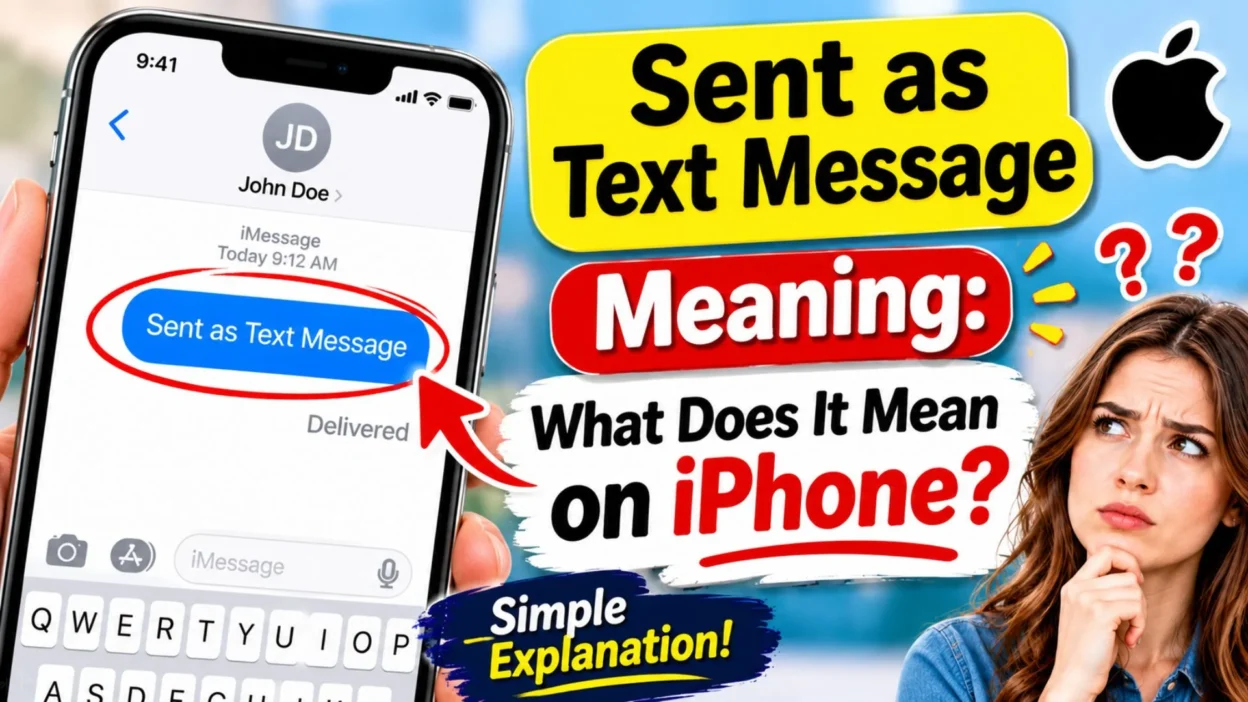
Have you ever sent a message on your iPhone and noticed the words “Sent as Text Message” underneath it? If so, you might wonder what this notification means and whether your message reached the other person.
This message usually appears when your iPhone sends a regular text message instead of using Apple’s iMessage service. It can happen for several reasons, including an internet connection problem, unavailable iMessage service, or the recipient using a non-Apple phone.
Understanding this notification can help you know how your message was sent and whether you need to do anything else.
In this guide, we will explain the sent as text message meaning, why it appears, how it differs from iMessage, and what you can do if it happens frequently.
What Does Sent as Text Message Mean?
“Sent as Text Message” means your iPhone sent your message using your mobile carrier’s text messaging service instead of Apple’s iMessage.
iMessage normally sends messages through Wi-Fi or mobile data between supported Apple devices. Regular text messages use your carrier’s messaging network.
For example, if you try to send an iMessage but the service is temporarily unavailable, your iPhone may send the message as an SMS instead, depending on your settings.
In simple words, your message was sent as a regular text rather than an iMessage.
Why Does My iPhone Say Sent as Text Message?
There are several reasons why this notification may appear on your iPhone.
1. The Recipient Does Not Have an iPhone
If you send a message to someone using an Android phone, your iPhone cannot send it as an iMessage. Instead, it may use SMS or RCS, depending on your device, carrier, and settings.
2. iMessage Is Turned Off
If iMessage is disabled on your phone or the recipient’s device, your conversation may switch to another messaging service.
You can check your settings by opening:
- Settings
- Apps
- Messages
- Check whether iMessage is turned on.
3. Internet Connection Problems
iMessage requires an internet connection through Wi-Fi or mobile data. If your connection is unavailable or unstable, your iPhone may be unable to send the message through iMessage.
4. iMessage Is Temporarily Unavailable
Sometimes, Apple’s messaging service may experience a temporary problem. In that situation, your iPhone may use another available messaging method.
5. Send as Text Message Is Enabled
Your iPhone has an option called “Send as Text Message.” When enabled, it can automatically try sending a message as SMS when iMessage is unavailable.
This setting helps you send messages even when iMessage cannot connect.
Does Sent as Text Message Mean the Message Was Delivered?
Not necessarily.
“Sent as Text Message” tells you that your iPhone sent the message through the regular text messaging service. It does not automatically confirm that the recipient received or read it.
Delivery information depends on your carrier, messaging service, and device settings.
If you see a separate delivery confirmation, that provides additional information. However, a sent status alone should not be treated as proof that the person has read your message.
Difference Between iMessage and Text Message
iMessage and regular text messages both allow you to communicate with other people, but they work differently.
FeatureiMessageText MessageNetworkWi-Fi or mobile dataMobile carrier networkBubble color on iPhoneBlueGreenApple devicesSupportedSupportedAndroid devicesNot supported as iMessageSupported through SMS or RCSInternet connectionRequiredNot required for traditional SMSRead receiptsSupportedDepends on service and settingsEncryptionEnd-to-end encryptedTraditional SMS is not end-to-end encrypted
Apple also supports RCS messaging on compatible iPhones and networks. RCS messages appear in green bubbles, just like SMS and MMS messages.
You can learn more from Apple’s official guide: Difference Between iMessage, RCS, and SMS/MMS.
What Does a Green Message Bubble Mean on iPhone?
A green message bubble means your message was sent using a service other than iMessage.
Depending on your device and network, this could be:
- SMS: A traditional short text message.
- MMS: A messaging service that supports pictures and other media.
- RCS: A more advanced messaging service with features such as typing indicators and delivery receipts on supported networks.
A blue bubble means the message was sent through iMessage.
Remember that green does not automatically mean something is wrong. It simply identifies a different messaging service.
How to Stop Messages from Being Sent as Text Messages
If you prefer using iMessage, you can check a few settings on your iPhone.
Step 1: Turn On iMessage
Open Settings, select Apps, tap Messages, and make sure iMessage is enabled.
Step 2: Check Your Internet Connection
Make sure your iPhone is connected to a working Wi-Fi network or mobile data.
Step 3: Check Send & Receive Settings
Go to Settings, select Apps, open Messages, and tap Send & Receive. Make sure your correct phone number or Apple Account email address is selected.
Step 4: Check Send as Text Message
In Messages settings, look for the Send as Text Message option. If you do not want your iPhone to automatically fall back to SMS, you can turn this option off.
Keep in mind that turning it off may prevent a message from being sent when iMessage is unavailable.
Is Sending as a Text Message Bad?
No. Sending a message as a regular text is not necessarily a problem.
It simply means your phone used a different messaging method. You can still communicate with people who do not use Apple devices.
However, traditional SMS messages may count toward your mobile plan’s messaging charges, depending on your carrier. They also do not provide the same end-to-end encryption as iMessage.
If you frequently see this notification when messaging another iPhone user, check your internet connection and iMessage settings.
Conclusion
Understanding the sent as text message meaning can help you avoid confusion when using your iPhone. This notification usually means your message was sent through your carrier’s regular text messaging service instead of Apple’s iMessage. It may happen because of internet problems, disabled iMessage settings, or temporary service issues. A green message bubble is normal and does not automatically indicate a problem. If you prefer iMessage, check your settings and internet connection to make sure everything is working correctly.
Frequently Asked Questions
1. What does sent as text message mean on iPhone?
It means your iPhone sent the message using SMS or another supported carrier messaging service instead of Apple’s iMessage.
2. Does sent as text message mean someone blocked me?
No. This notification does not prove that someone has blocked you. It usually relates to the messaging service used to send your message.
3. Why did my blue message turn green?
Your message may turn green when iMessage is unavailable, disabled, or the recipient is not using an Apple device. Green bubbles can represent SMS, MMS, or RCS.
4. Does sent as text message mean the person received it?
Not always. It indicates that your phone sent the message as a regular text, but it does not necessarily confirm delivery or that the recipient read it.
5. Will I be charged for a message sent as text?
You may be charged depending on your mobile carrier and messaging plan. Check your plan for SMS or MMS charges.
6. Can I turn off sent as text message on iPhone?
You can turn off the Send as Text Message option in your iPhone’s Messages settings. However, messages may not send if iMessage is unavailable.
7. What is the difference between sent as text message and iMessage?
iMessage uses Wi-Fi or mobile data to communicate between supported Apple devices. Regular text messages use your carrier’s messaging service. On iPhones, iMessages appear blue, while SMS, MMS, and RCS messages appear green.
Conclusion
The phrase “Sent as Text Message” simply means your iPhone sent a message using your carrier’s messaging service instead of iMessage. This can happen because of internet issues, iMessage settings, or the recipient using a different type of phone. It does not automatically mean you have been blocked or that something is wrong. By checking your iMessage settings and internet connection, you can better understand why your messages are being sent this way.

Muhammad Shahroz is a passionate writer who creates helpful content about messages and word meanings. He is committed to providing clear, accurate, and easy-to-understand information on TextsMessagez.com.