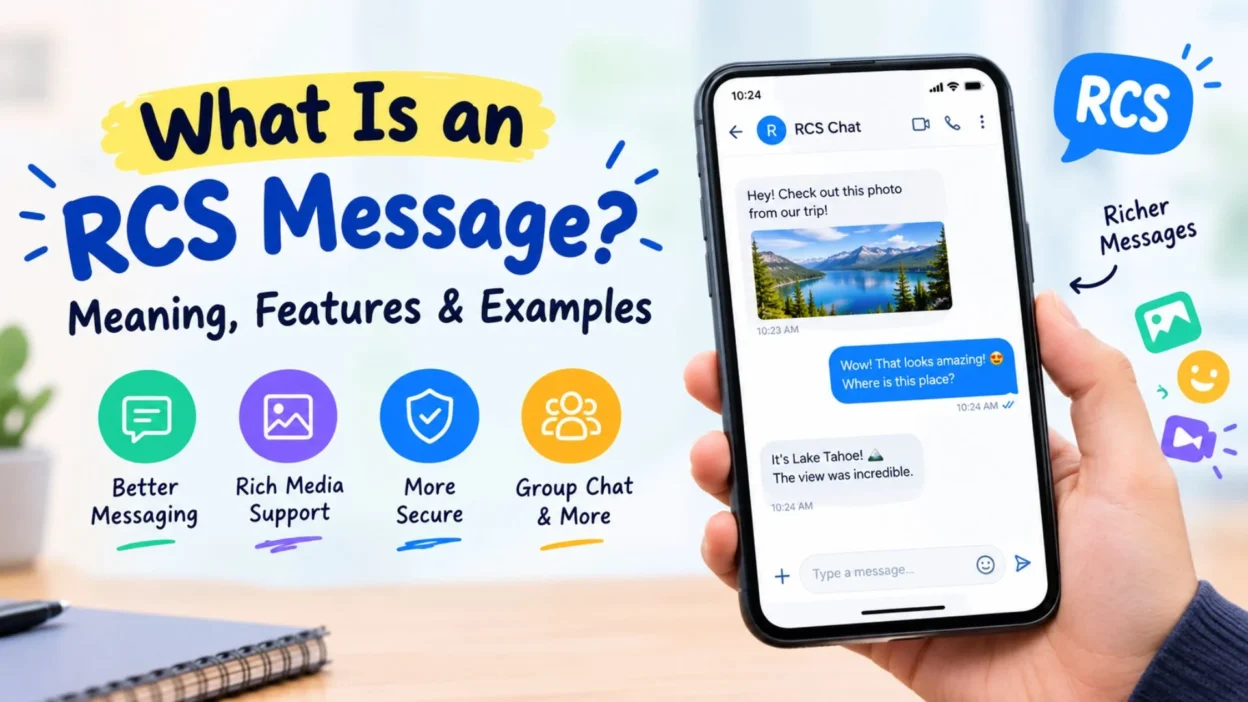
Have you ever seen an RCS message on your phone and wondered what it means? You’re not alone! RCS is a modern messaging technology that makes texting feel more like using a chat app.
So, what is an RCS message, and how is it different from a regular SMS? In this guide, you’ll learn how RCS works, which features it offers, and how to use it on your phone.
1. What Is an RCS Message?
RCS stands for Rich Communication Services. It is a messaging standard designed to improve traditional text messaging.
Unlike basic SMS, RCS can support features such as typing indicators, read receipts, high-quality photo sharing, and group chats. However, the available features depend on your phone, messaging app, carrier, and internet connection.
For example, an RCS conversation may let you see when someone is typing. It can also show when they have read your message. As a result, the conversation feels closer to chatting in an app like WhatsApp.
2. What Does RCS Mean in Texting?
In texting, RCS refers to a richer way of sending messages through a supported messaging app. It adds modern chat features to the phone’s messaging experience.
Here is what the name means:
- Rich: Messages can include photos, videos, and other media.
- Communication: People can exchange messages and share content.
- Services: The technology supports features beyond basic text messages.
In simple terms, RCS makes texting more interactive. Nevertheless, both people usually need compatible messaging services for the full experience.
3. How Does RCS Messaging Work?
RCS uses an internet connection to send messages through a compatible messaging service. Depending on the setup, that connection may be Wi-Fi or mobile data.
When you send an RCS message, your messaging app checks whether the conversation supports RCS. If it does, your message can use the available chat features.
Here is a simple example:
- You open your messaging app.
- You select a contact who supports RCS.
- You type a message and press send.
- Your phone sends it through the supported RCS service.
- You may see delivery status, read receipts, or typing indicators.
However, if RCS is unavailable, your app may offer SMS or MMS as an alternative. The exact behavior depends on your settings and the messaging service.
4. What Is the Difference Between RCS, SMS, and MMS?
Although these terms all relate to messaging, they describe different technologies.
FeatureRCSSMSMMSMain purposeModern chat messagingBasic text messagingMultimedia messagingInternet connectionUsually requiredNot usually requiredDepends on carrier setupTyping indicatorsSupported in compatible chatsNoNo standard supportRead receiptsSupported when enabledNo standard supportNo standard supportHigh-quality mediaSupports richer media sharingNot designed for mediaSupports multimediaGroup chatsEnhanced features may be availableBasic support variesMultimedia group support variesEncryptionDepends on service and chatNo end-to-end encryption by defaultNo end-to-end encryption by default
RCS offers more interactive features than traditional SMS. Meanwhile, SMS remains useful because it can work through a mobile network without mobile data.
MMS was designed to send multimedia content, such as pictures. However, RCS provides a more modern chat experience with features such as typing indicators and read receipts.
5. What Features Does RCS Messaging Offer?
RCS can provide several useful features. Still, not every conversation supports every feature.
Common capabilities include:
- Read receipts: See when a recipient has read your message, if the feature is enabled.
- Typing indicators: Know when the other person is composing a message.
- High-quality photos: Share images with better quality than traditional MMS often allows.
- Video sharing: Send supported video content through the chat.
- Group conversations: Enjoy richer group messaging features.
- Larger messages: Send longer messages than the traditional SMS character limit.
- Voice messages: Use voice messaging where the app supports it.
- Reactions: React to messages with emojis in compatible chats.
- File sharing: Send supported files through compatible messaging services.
- Wi-Fi messaging: Send messages over Wi-Fi when RCS is available.
- Mobile data messaging: Use mobile data instead of relying only on traditional texting.
- Delivery status: Check whether a message has been delivered when the service provides that information.
These features make everyday conversations more convenient. Nevertheless, the exact options depend on your messaging app and the other person’s device.
6. Is RCS Messaging Better Than SMS?
For many people, RCS offers a better messaging experience. It brings useful chat features into a messaging app without requiring both people to use the same separate chat app.
For example, you can share a high-quality picture and see when a friend reads your message. With standard SMS, those features are generally unavailable.
However, SMS still has an important advantage. It can send basic text messages without an internet connection when cellular service is available.
Therefore, neither option is always better. RCS is useful for feature-rich conversations, while SMS remains valuable as a fallback and for reaching phones or services that do not support RCS.
7. Does RCS Messaging Use Wi-Fi or Mobile Data?
RCS generally uses an internet connection. That means you can send and receive RCS messages over Wi-Fi or mobile data.
For example, if your phone is connected to your home Wi-Fi, RCS may work without using your mobile data allowance for that message.
However, when Wi-Fi is unavailable, your phone may use mobile data instead. If neither connection is available, RCS messaging may stop working until the connection returns.
Keep in mind that mobile data charges can depend on your carrier and plan. If your app switches to SMS or MMS, your carrier’s normal messaging rules may apply.
8. How Do You Know If a Message Is RCS?
The easiest way to identify an RCS conversation is to check the messaging app.
In Google Messages, the text box may display wording such as “RCS message” when the conversation supports RCS. A regular SMS conversation may instead show “Text message” or similar wording.
You may also notice extra features, including typing indicators and read receipts.
However, the labels can vary by app version, device, and region. If you are unsure, open your messaging settings and check whether RCS chats are enabled.
9. How to Turn On RCS Messaging on Android
Many Android phones support RCS through Google Messages or another compatible messaging app.
To enable it in Google Messages, follow these steps:
- Open Google Messages on your phone.
- Tap your profile picture or account icon.
- Select Messages settings.
- Find RCS chats. In some versions, the wording may differ.
- Open the RCS settings.
- Turn on RCS chats if the option is available.
- Check the connection status shown on the screen.
If the status says connected, your phone is generally ready to use RCS with compatible contacts.
However, activation may take time. If the option is missing, update your messaging app and check whether your device, carrier, and region support the feature.
10. How to Use RCS on an iPhone
RCS support is available on compatible iPhones running supported versions of iOS, but availability depends on the carrier and region.
If your iPhone supports it, follow these general steps:
- Open Settings.
- Tap Apps, then Messages, on newer iOS versions.
- Look for the RCS Messaging option.
- Turn it on if it is available.
- Open Messages and start a conversation with a compatible contact.
On some iOS versions, the Messages settings may appear in a different location.
If you cannot find the RCS option, your carrier or region may not support it. You may also need a compatible iOS version and carrier settings.
11. Can You Send RCS Messages Between Android and iPhone?
Yes, RCS can support messaging between Android phones and iPhones when both devices and their services support it.
For example, an Android user may send a richer message to an iPhone user without switching to a separate chat app.
Supported features can include better media sharing, typing indicators, and read receipts. However, the available features depend on the devices, software versions, carriers, and messaging services involved.
Also, cross-platform RCS support does not mean every feature works identically on every phone. If RCS is unavailable, the conversation may use SMS or MMS instead.
12. Are RCS Messages Secure?
RCS security depends on the messaging service and the type of conversation.
Some RCS conversations support end-to-end encryption. This means the message is encrypted so that only the intended participants can read its contents.
However, not every RCS message is end-to-end encrypted. Support can vary by messaging app, device, and conversation type. For example, encryption availability may differ between compatible Google Messages conversations and other RCS implementations.
Therefore, do not assume that every message labeled RCS has the same level of protection.
For sensitive conversations, check the security information in your messaging app. You should also keep your phone updated and use a secure screen lock.
13. What Are RCS Read Receipts?
Read receipts let you know when someone has opened and read your message, if both the service and settings support that feature.
For example, you might send a message asking a friend to meet for lunch. A read receipt can indicate that your friend has seen it.
However, a read receipt does not mean the person is ready to reply. They might be busy, away from their phone, or planning to respond later.
You can usually manage read receipts in your messaging settings. Also, remember that the other person may have disabled them.
14. What Do RCS Delivery Statuses Mean?
RCS apps may show different statuses to explain what happened to a message.
Common indicators include:
- Sending: Your phone is trying to send the message.
- Sent: The message has left your device.
- Delivered: The recipient’s service or device has received it.
- Read: The recipient has opened the message, if read receipts are available.
The exact symbols and wording vary between apps.
For instance, a delivered message does not necessarily mean the recipient has read it. Likewise, a read status does not guarantee an immediate reply.
If a message stays on sending, check your internet connection and RCS settings before trying again.
15. Why Is My RCS Message Not Sending?
Sometimes, RCS messages fail to send. Fortunately, several simple checks can help you find the problem.
Try these steps:
- Check that Wi-Fi or mobile data is working.
- Confirm that RCS chats are enabled.
- Check the connection status in your messaging settings.
- Update your messaging app.
- Restart your phone if the problem continues.
- Ask whether the recipient can use RCS.
- Check for carrier or service outages.
- Review whether your app is attempting to send through RCS, SMS, or MMS.
If RCS still fails, your messaging app may offer an option to resend the message as SMS or MMS.
However, check the resend setting before using it. Different apps handle fallback differently, and carrier charges may apply.
16. Can RCS Messages Cost Money?
RCS messages generally use Wi-Fi or mobile data rather than traditional SMS delivery.
If you use Wi-Fi, the message normally does not count as a standard SMS. However, your internet provider’s charges still apply if your connection has usage limits.
When you use mobile data, RCS messages may count toward your data allowance. The cost depends on your mobile plan.
If your phone switches to SMS or MMS, normal carrier messaging charges may apply. Therefore, check your plan if you want to avoid unexpected costs.
The key point is simple: RCS is not automatically a paid messaging service, but your internet and mobile plan conditions still matter.
17. Can You Turn Off RCS Messaging?
Yes, many supported messaging apps let you disable RCS chats.
On Google Messages, open the app’s settings and look for RCS chats. You can then turn the feature off if the option is available.
Afterward, your messages may use SMS or MMS when supported. However, the exact behavior depends on your phone and messaging settings.
Before disabling RCS, consider whether you rely on features such as read receipts, typing indicators, or richer media sharing.
If you are changing phones or phone numbers, check the messaging service’s guidance first. Properly disabling RCS can help prevent messages from getting stuck during a device change.
18. What Is RCS Business Messaging?
RCS can also be used by businesses to communicate with customers through supported messaging services.
Depending on the implementation, businesses may send branded messages, appointment reminders, delivery updates, or interactive information.
For example, a delivery company might send a package update with details about the expected arrival time. A retailer might share information about an order.
However, the features available depend on the business messaging platform and the recipient’s device and carrier support.
You should also check that a business message is legitimate before clicking links or sharing personal information. A familiar logo alone does not prove that a message is genuine.
19. What Are the Main Advantages and Disadvantages of RCS?
RCS offers useful features, but it also has limitations.
Advantages of RCS
- It supports richer conversations than basic SMS.
- It can share high-quality photos and videos.
- It offers typing indicators and read receipts when supported.
- It can work over Wi-Fi or mobile data.
- It can improve group messaging.
- It brings modern chat features into compatible messaging apps.
Disadvantages of RCS
- It requires compatible devices and messaging services.
- It usually needs an internet connection.
- Some features vary by carrier, region, and app.
- Not every RCS conversation has end-to-end encryption.
- Messages may fall back to SMS or MMS when RCS is unavailable.
- Switching devices or phone numbers can require extra setup.
Overall, RCS is a useful upgrade for supported conversations. Nevertheless, SMS remains important for basic messaging compatibility.
20. RCS Messaging Examples in Everyday Life
RCS is easier to understand when you see how people might use it.
Here are some everyday examples:
- Making plans: You send a message and see when your friend starts typing.
- Sharing photos: You send a clear picture from a family gathering.
- Group chats: Your group discusses weekend plans in one conversation.
- Travel updates: You share your arrival time with a family member.
- Work conversations: You send supported files to a colleague.
- Delivery updates: A business sends information about an order.
- School reminders: A compatible service sends a message about an event.
- Restaurant plans: You share pictures of a menu with your friends.
- Family conversations: You exchange photos without relying on basic MMS.
- Quick replies: You see when someone has read a message, if receipts are enabled.
These examples show why RCS can make texting feel more interactive. Still, both the sender’s and recipient’s services must support the relevant features.
21. Is RCS the Same as WhatsApp or iMessage?
No. RCS, WhatsApp, and iMessage are different messaging systems.
RCS is a messaging standard that works through compatible carrier and messaging services. WhatsApp is a separate messaging app that uses an internet connection. iMessage is Apple’s messaging service for supported Apple devices.
All three can offer rich messaging features. However, they differ in availability, account requirements, security features, and how messages move between platforms.
For example, WhatsApp users generally communicate through WhatsApp. RCS users can send supported messages through their phone’s compatible messaging app.
Therefore, RCS provides a way to modernize traditional texting without requiring every person to use the same standalone messaging app.
22. RCS Messaging: Common Questions and Quick Tips
Before you change your settings, keep these useful points in mind.
- Check compatibility: Confirm that your phone and carrier support RCS.
- Use updated software: Newer versions may improve compatibility and fix bugs.
- Check your connection: RCS generally needs Wi-Fi or mobile data.
- Review privacy settings: Read receipts and other features may be optional.
- Understand fallback: SMS and MMS may be used when RCS is unavailable.
- Check encryption: Security features vary between services and conversations.
- Watch data usage: Mobile data may count toward your plan.
- Verify business messages: Avoid suspicious links and unexpected requests for personal details.
- Check the message field: Your app may indicate whether a conversation uses RCS or SMS.
- Review device changes: Check RCS settings when switching phones or numbers.
With these tips, you can make better use of RCS and troubleshoot common problems more easily.
FAQs About RCS Messages
1. What is an RCS message on my phone?
An RCS message uses Rich Communication Services, a modern messaging standard. It can offer typing indicators, read receipts, and richer media sharing when supported.
2. Is an RCS message a regular text message?
Not exactly. SMS sends traditional text messages through a mobile network, while RCS generally uses an internet connection and supports more interactive features.
3. Do RCS messages use mobile data?
Yes, RCS generally uses Wi-Fi or mobile data. If your phone switches to SMS or MMS, your carrier’s normal messaging rules may apply.
4. Are RCS messages encrypted?
Some RCS conversations support end-to-end encryption, but not all do. Check the security information in your messaging app to understand the protection available for your conversation.
5. Can I turn off RCS messages?
Yes, compatible messaging apps usually provide an option to disable RCS chats. Afterward, your phone may use SMS or MMS instead, depending on your settings and available services.
Conclusion
So, what is an RCS message? It is a modern type of messaging that brings features such as read receipts, typing indicators, and richer media sharing to compatible messaging apps.
RCS can make everyday texting more convenient. However, its features depend on your phone, carrier, messaging app, and the person you are contacting.
If this guide helped you understand RCS, share it with a friend who has wondered about the same feature. You can also leave a comment about which messaging app you use most.

Muhammad Shahroz is a passionate writer who creates helpful content about messages and word meanings. He is committed to providing clear, accurate, and easy-to-understand information on TextsMessagez.com.