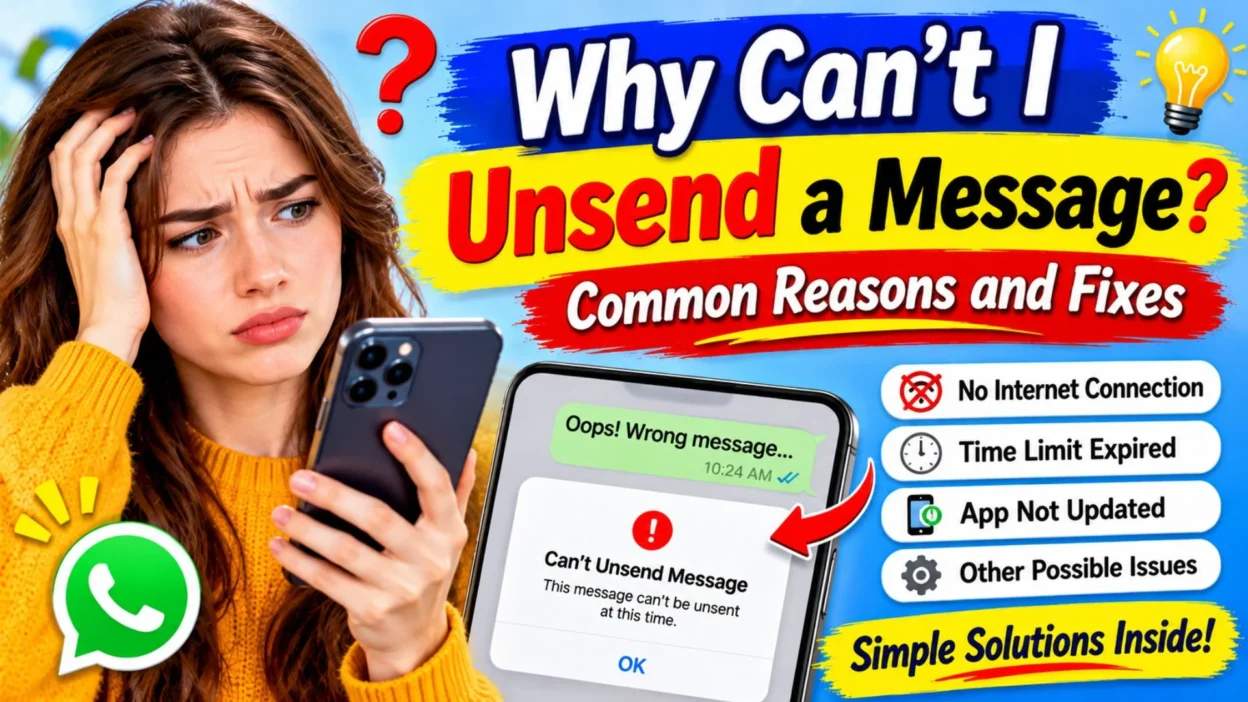
Have you ever sent a message by mistake and immediately tried to unsend it? Maybe you noticed a spelling mistake, sent it to the wrong person, or changed your mind after pressing the send button. Whatever the reason, finding that the unsend option is missing can be frustrating.
If you are wondering, “Why can’t I unsend a message?” the answer usually depends on the messaging app, message type, and how much time has passed since you sent it.
Some apps allow users to remove sent messages for everyone, while others only let them delete messages from their own devices. Certain platforms also have time limits or specific requirements for using this feature.
In this guide, we will explain why you cannot unsend a message, what causes the problem on different messaging apps, and how you may be able to fix it.
Why Can’t I Unsend a Message?
There are several reasons why the unsend option may not appear or work. The most common reason is that the messaging app has restrictions on deleting sent messages.
For example, some apps only allow message removal within a specific time window. Others require both users to have compatible versions of the app.
Here are some common reasons:
- The time limit for unsending the message has expired.
- Your messaging app does not support an unsend feature.
- You are trying to delete the message from your device instead of for everyone.
- Your app needs an update.
- You have a poor internet connection.
- The message was sent using a different messaging service.
- The recipient is using an incompatible device or app version.
- You are trying to unsend a message type that is not supported.
Understanding which issue applies to your situation can help you choose the right solution.
Why Can’t I Unsend a Message on iPhone?
iPhone users often experience this problem when using Apple’s Messages app. However, the ability to unsend a message depends on the type of conversation and the time since the message was sent.
Apple’s Undo Send feature works with supported iMessage conversations. It does not work the same way with regular SMS or MMS messages.
1. The Two-Minute Time Limit Has Expired
One of the main reasons you cannot unsend an iMessage is that more than two minutes have passed since you sent it.
Apple allows users to undo a sent iMessage within two minutes. After that period, the Undo Send option is no longer available.
What to do:
Check how much time has passed since sending the message. If the two-minute window has expired, you may no longer be able to unsend it.
2. You Sent a Regular SMS Message
The Undo Send feature is designed for iMessage conversations. If your message was sent as a regular SMS or MMS, you cannot use the same unsend feature.
A blue message bubble usually indicates iMessage, while a green bubble indicates SMS, MMS, or RCS depending on your settings and carrier.
What to do:
Check the message bubble color. If it is a regular SMS or MMS message, deleting it from your phone will not remove it from the recipient’s device.
3. Your iPhone Software Is Outdated
An older iOS version may not support the features available in newer Messages updates.
What to do:
- Open Settings on your iPhone.
- Tap General.
- Select Software Update.
- Check whether an update is available.
- Install the update if needed.
Always make sure your device has enough battery and a reliable internet connection before updating.
How to Unsend a Message on iPhone
If your message meets Apple’s requirements, follow these steps:
- Open the Messages app.
- Select the conversation.
- Find the message you want to remove.
- Touch and hold the message bubble.
- Tap Undo Send.
The message should disappear from the conversation, and a notification may indicate that you unsent it.
Keep in mind that older software versions may not display the same unsend result. Also, the recipient may have already seen the message before you removed it.
Why Can’t I Unsend a Message on WhatsApp?
WhatsApp offers a feature called Delete for Everyone. It allows users to remove eligible sent messages from a conversation.
However, this option may not always be available.
1. The Allowed Time Window Has Passed
WhatsApp provides a limited period for using Delete for Everyone. If that period expires, you may only see the Delete for Me option.
What to do:
Open the conversation and check the available delete options. If Delete for Everyone is missing, the message may no longer be eligible for removal.
2. Your WhatsApp App Needs an Update
Using an outdated version of WhatsApp can sometimes cause feature-related problems.
What to do:
- Open Google Play Store or Apple App Store.
- Search for WhatsApp.
- Check whether an update is available.
- Install the latest version.
- Reopen WhatsApp and try again.
3. You Are Selecting the Wrong Delete Option
WhatsApp provides two different options:
- Delete for Me: Removes the message only from your own chat.
- Delete for Everyone: Attempts to remove the message from the chat for all participants.
If you choose Delete for Me, the recipient can still see their copy.
4. Your Internet Connection Is Unstable
A weak internet connection may prevent WhatsApp from processing your request correctly.
Try switching between Wi-Fi and mobile data. Then reopen the conversation and check whether the option works.
How to Unsend a Message on WhatsApp
Follow these steps to delete an eligible message for everyone:
- Open WhatsApp.
- Go to the conversation.
- Find the message you sent.
- Touch and hold the message.
- Tap the delete icon.
- Select Delete for Everyone.
If the option is available, WhatsApp will remove the message from the conversation for participants. However, recipients may have already read it or saved its contents.
Why Can’t I Unsend a Message on Messenger?
Facebook Messenger also provides an Unsend feature. It allows users to remove a sent message from the conversation, subject to the app’s available options and policies.
If you cannot find the option, one of these reasons may explain the problem.
1. You Are Choosing Remove for You
Messenger may show different options when you try to remove a message.
- Remove for you deletes the message from your own view.
- Unsend for everyone removes the message from the conversation for other participants as well.
Make sure you select the correct option.
2. Messenger Has a Temporary Glitch
Sometimes the app may not respond correctly because of a temporary technical issue.
What to do:
- Close Messenger completely.
- Reopen the app.
- Check your internet connection.
- Update Messenger.
- Restart your phone.
3. You Are Using an Older App Version
An outdated Messenger app may display older menus or experience technical problems.
Visit your device’s app store and check for updates.
Why Can’t I Unsend a Message on Instagram?
Instagram Direct Messages include an Unsend feature. You can generally use it to remove a message you sent from the conversation.
However, the option may not work as expected because of app issues or connection problems.
Try these steps:
- Open Instagram.
- Tap the Messages icon.
- Open the conversation.
- Find your sent message.
- Touch and hold it.
- Select Unsend if available.
If the option does not appear, update Instagram and restart the app.
Remember that unsending a message does not guarantee that the recipient never saw it. They may have already read it or received a notification preview.
Why Is the Unsend Option Missing?
If you cannot see the unsend option at all, the reason may be related to the app’s rules or the type of message you sent.
Here are some possible explanations:
Unsupported Message Type
Some platforms have different rules for text messages, photos, videos, and other content. The available actions may depend on the message type.
Expired Unsend Period
Certain apps only allow users to unsend messages for a limited time. Once that period ends, the option may disappear.
App Version Problems
Older app versions may have outdated menus or bugs. Updating the app can help restore missing features.
Account or Conversation Restrictions
Some messaging features may behave differently in group chats, business conversations, or restricted accounts.
How to Fix the Unsend Message Problem
If you cannot remove a message, try these general troubleshooting steps.
1. Update Your Messaging App
Open your device’s app store and install any available updates. New versions may include bug fixes and improved messaging features.
2. Check Your Internet Connection
Make sure your phone is connected to a stable Wi-Fi or mobile data network. A weak connection can interrupt message actions.
3. Restart Your Phone
Restarting your device can resolve temporary software problems. After restarting, open the messaging app and try again.
4. Clear App Cache on Android
If you use Android, a corrupted temporary cache may cause app problems.
You can try these steps:
- Open Settings.
- Select Apps.
- Find your messaging app.
- Tap Storage.
- Select Clear Cache.
Menu names may vary depending on your Android phone.
Avoid selecting Clear Data unless you understand the consequences. It may remove local app information or require you to sign in again.
5. Check the App’s Message Rules
Every messaging platform has its own deletion policy. Check whether your message is still eligible for unsending before trying other solutions.
Can You Unsend a Message After Someone Has Read It?
In many messaging apps, yes. A message may still be eligible for unsending even after the recipient has read it.
However, removing a message does not erase what the recipient has already seen.
They may have:
- Read the message before you unsent it.
- Seen a notification preview.
- Taken a screenshot.
- Copied the message.
- Saved information from the conversation.
Therefore, unsending a message should not be treated as a guarantee that the recipient has not seen its contents.
Can You Unsend a Message Without the Other Person Knowing?
Not always. Some messaging apps display a notification in the conversation when a message is unsent or deleted.
Even if the original message disappears, the recipient may notice that something was removed.
Notification behavior can also vary depending on the app and device.
If you sent something by mistake, it is usually better to act quickly rather than assume that the other person will never know.
What Happens If You Delete a Message Instead of Unsending It?
Deleting and unsending are not always the same thing.
When you delete a message for yourself, it generally disappears only from your own conversation. The other person may still have their copy.
When you unsend a message or select Delete for Everyone, the app attempts to remove it from the conversation for all participants.
The exact behavior depends on the messaging platform.
Frequently Asked Questions
1. Why can’t I unsend a message on my iPhone?
You may be using SMS or MMS instead of iMessage, or the two-minute Undo Send window may have expired. Check the message type and your iOS version.
2. Why is Undo Send not showing on iMessage?
The option may be missing because the message was not sent as an iMessage or more than two minutes have passed.
3. Why can’t I delete a WhatsApp message for everyone?
The message may be outside WhatsApp’s allowed deletion period, or the app may be experiencing a temporary issue.
4. Can I unsend a message after two minutes on iPhone?
Apple’s Undo Send feature for iMessage is limited to two minutes. After that, you cannot use Undo Send for that message.
5. Does deleting a message delete it for everyone?
No. Choosing a personal delete option usually removes the message only from your own view. Look for an option such as Delete for Everyone or Unsend for everyone.
6. Can someone still read an unsent message?
Yes. The recipient may have already read the message, seen its notification preview, or saved its contents before you removed it.
7. Why can’t I unsend a message on Messenger?
Possible reasons include app glitches, outdated software, or selecting the wrong removal option. Check whether Unsend for everyone is available.
8. Can I unsend an SMS message?
Generally, no. Traditional SMS does not provide a universal feature that lets the sender remove a delivered message from another person’s phone.
9. Does unsending a message notify the other person?
Some apps show a message indicating that content was unsent or removed. The exact notification depends on the platform.
10. What should I do if I accidentally send a message?
If the app supports unsending, try to remove it as soon as possible. If that is not possible, consider sending a short clarification or apology.
Conclusion
If you are wondering why you can’t unsend a message, the answer usually depends on the messaging app, message type, and time limit.
On iPhone, Apple’s Undo Send feature works with eligible iMessages within two minutes. WhatsApp, Messenger, and Instagram have their own message removal features and restrictions.
Start by checking the app’s rules, updating the software, and confirming that you are selecting the correct option. If unsending is no longer possible, you can send a follow-up message to explain the situation.
Remember, removing a message does not guarantee that nobody has already seen it. Acting quickly can help, but it is always best to double-check a message before sending it.

Muhammad Shahroz is a passionate writer who creates helpful content about messages and word meanings. He is committed to providing clear, accurate, and easy-to-understand information on TextsMessagez.com.