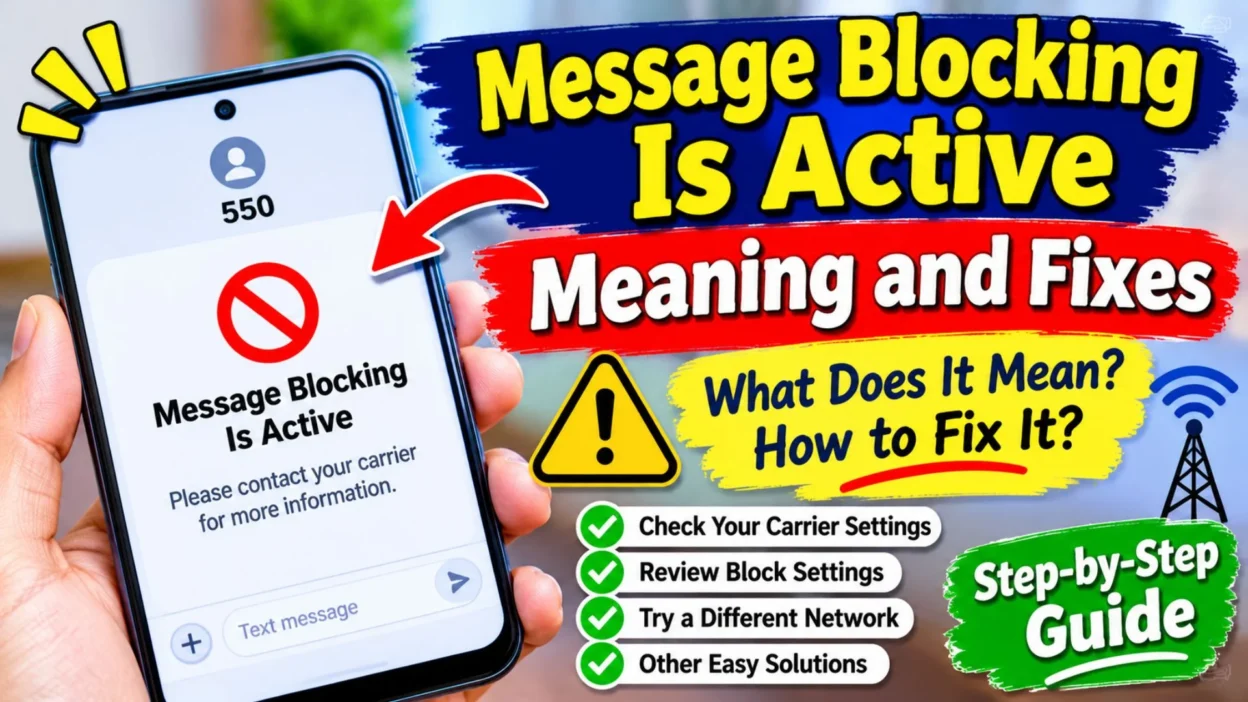
Have you ever tried sending a text message and received this notification: “Free Msg: Unable to Send Message – Message Blocking Is Active”? It can be frustrating, especially when you need to send an important message.
This notification usually means your phone number or the recipient’s number cannot send or receive the message because of a blocking restriction. However, the exact reason can depend on your mobile carrier, account settings, and phone configuration.
In this guide, you’ll learn what this message means, why it appears, and how to fix it.
What Does Message Blocking Is Active Mean?
The message “Free Msg: Unable to Send Message – Message Blocking Is Active” means your text message could not be delivered because a messaging restriction is active.
This restriction may come from your mobile carrier, account settings, or a blocked phone number.
It does not always mean that someone has personally blocked you. Sometimes, the problem is related to your phone plan or messaging service.
For example, you may see this notification when:
- Your mobile account has a messaging restriction.
- The recipient’s number is blocked.
- Your carrier has disabled outgoing messages.
- Your prepaid balance is insufficient.
- Your phone has incorrect messaging settings.
- A network problem is preventing message delivery.
Why Does This Error Appear?
There are several reasons why this notification may appear on your phone. Understanding the possible cause can help you choose the right solution.
1. Your Number Is Blocked
One possible reason is that your phone number has been blocked by the recipient.
If someone blocks your number, your messages may not reach them. However, this error alone cannot confirm that another person has blocked you.
2. Your Mobile Plan Has Restrictions
Some mobile plans have limits on text messaging. Your carrier may also restrict messaging if your account has an unpaid balance or an inactive service.
Check your current plan to make sure SMS messaging is included.
3. Insufficient Account Balance
If you use a prepaid mobile connection, you may need enough balance to send text messages.
An empty balance or an expired package can prevent outgoing messages.
4. Short Code Messaging Is Disabled
Some services send messages through short codes. These numbers are commonly used for verification codes, banking alerts, and promotional messages.
If short code messaging is restricted, certain messages may fail.
5. Incorrect Phone Settings
Sometimes, your phone’s messaging settings can cause delivery problems.
A blocked contact, incorrect network configuration, or outdated messaging app may affect your ability to send texts.
6. Network Problems
A weak mobile signal or temporary carrier outage can also stop messages from being delivered.
If your phone cannot connect properly to the mobile network, SMS delivery may fail.
How to Fix Free Msg: Unable to Send Message – Message Blocking Is Active
The good news is that you can try several troubleshooting steps before contacting customer support.
1. Restart Your Phone
Start with a simple restart.
Turn off your phone, wait a few seconds, and turn it back on. This can refresh the network connection and clear temporary problems.
After restarting, try sending your message again.
2. Check Your Mobile Balance
If you use a prepaid connection, check whether you have enough balance or an active SMS package.
Make sure your mobile service is active and your plan allows outgoing text messages.
3. Check Your Blocked Contacts
Open your phone’s messaging or contacts settings and review your blocked numbers.
If you accidentally blocked the recipient, remove that number from the blocked list.
The exact steps depend on whether you use an Android phone or an iPhone.
4. Check Your Messaging Permissions
Make sure your messaging app has the permissions it needs.
On Android, you can usually check app permissions through Settings and Apps.
If you use an iPhone, review your Messages settings and any available carrier restrictions.
5. Turn Airplane Mode On and Off
Airplane mode can help refresh your phone’s network connection.
Follow these steps:
- Open your phone’s quick settings.
- Turn on Airplane Mode.
- Wait about 15 seconds.
- Turn it off.
- Wait for your mobile network to reconnect.
- Try sending your message again.
6. Update Your Messaging App
An outdated messaging application may sometimes cause unexpected problems.
Visit the Google Play Store or Apple App Store and check whether an update is available.
Install the latest version and try sending your text again.
7. Contact Your Mobile Carrier
If none of these solutions work, contact your mobile service provider.
Ask them to check whether outgoing SMS messaging, premium messaging, or short code messaging is restricted on your account.
They can also confirm whether there is a network issue or account-related block.
How to Fix Message Blocking on Android
If you use an Android phone, try these additional steps:
- Open the Messages application.
- Tap your profile picture or menu.
- Open Messages settings.
- Review spam and blocked conversations.
- Check whether the recipient’s number is blocked.
- Restart your phone.
- Try sending another text message.
Menu names may differ depending on your Android version and phone manufacturer.
How to Fix Message Blocking on iPhone
iPhone users can also check a few settings.
- Open Settings.
- Select Apps and then Messages, if available on your iOS version.
- Make sure iMessage is enabled if you use it.
- Open the blocked contacts list.
- Check whether the recipient’s number appears there.
- Restart your iPhone.
- Try sending the message again.
Remember that iMessage and regular SMS are different services. An SMS problem may require help from your mobile carrier.
Does Message Blocking Mean Someone Blocked You?
Not necessarily.
The notification “Message Blocking Is Active” does not prove that another person has blocked your phone number.
It can also appear because of carrier restrictions, account problems, messaging settings, or network issues.
If you receive this error when messaging several different numbers, your own account or carrier service may be the cause.
If it happens with only one recipient, check that number and consider asking your carrier to investigate.
Why Can I Receive Texts but Cannot Send Them?
This can happen when your carrier restricts outgoing SMS messages but still allows incoming messages.
Other possible reasons include:
- An inactive SMS package.
- Account restrictions.
- Incorrect messaging settings.
- A temporary carrier issue.
- Problems with your outgoing message service.
Contact your mobile provider if restarting your phone and checking your plan do not help.
Frequently Asked Questions
What does Free Msg: Unable to Send Message – Message Blocking Is Active mean?
It means your text message could not be delivered because a messaging restriction is active. The restriction may be related to your carrier, account, phone settings, or recipient.
Does this error mean someone blocked my number?
No. This notification does not automatically mean someone blocked you. It can also result from carrier restrictions or account problems.
Why can’t I send text messages even though I have a balance?
Having a balance does not always guarantee that SMS service is active. Your carrier may have other restrictions or your messaging plan may have expired.
How do I turn off message blocking?
First, check your blocked contacts and messaging settings. If the restriction comes from your carrier, contact customer support and ask them to review your SMS service.
Why does message blocking happen on iPhone?
It may happen because of carrier restrictions, account problems, blocked contacts, or SMS service issues. Checking your settings and contacting your carrier can help.
Can restarting my phone fix message blocking?
Sometimes. Restarting refreshes your network connection and may resolve temporary phone problems. However, it cannot remove account restrictions imposed by your carrier.
Why can I send messages to some people but not others?
The issue may involve a specific recipient, blocked contact, or messaging restriction. Your carrier can help determine why delivery fails.
Final Thoughts
Seeing the notification “Free Msg: Unable to Send Message – Message Blocking Is Active” can be confusing, but it does not always indicate a serious problem.
Start by checking your mobile balance, reviewing blocked contacts, and restarting your phone. If the problem continues, contact your carrier to check your account and SMS settings.
With the right troubleshooting steps, you can identify the cause and get your text messaging service working again.

Muhammad Shahroz is a passionate writer who creates helpful content about messages and word meanings. He is committed to providing clear, accurate, and easy-to-understand information on TextsMessagez.com.